


Integrating Apple Pay within Optimizely - Lesson's Learned
Hello Optimizely world,
I have recently undertaken the responsibility of assisting our client in the integration of Apple Pay onto their website through Adyen. This endeavor holds significant importance, considering that 48% of smartphone users in the US and 25% worldwide utilize an iPhone as their preferred device.
In this article, I will delineate the pivotal steps we took in achieving this integration, elucidate the challenges we encountered, and expound upon the solutions implemented along with the lessons gleaned for future endeavors.
1. Creation of an Apple Developer Account
Initiating the process with the creation of an Apple Developer account emerges as a paramount action item. It is imperative to note that acquiring this account from Apple may necessitate a span of 2-3 weeks, underscoring the need for timely initiation.
Reference: https://developer.apple.com/programs/enroll/
2. Placement of Apple Pay Button
It is crucial to bear in mind that the Apple Pay button exclusively manifests for Apple devices. Given this, particular attention must be paid to its placement vis-à-vis other design elements within the checkout interface. Notably, special consideration should be given to potential empty displays on non-Apple devices, prompting the strategic positioning of the Apple Pay button above other payment methods, akin to the prominence afforded to a PayPal Express Checkout button.
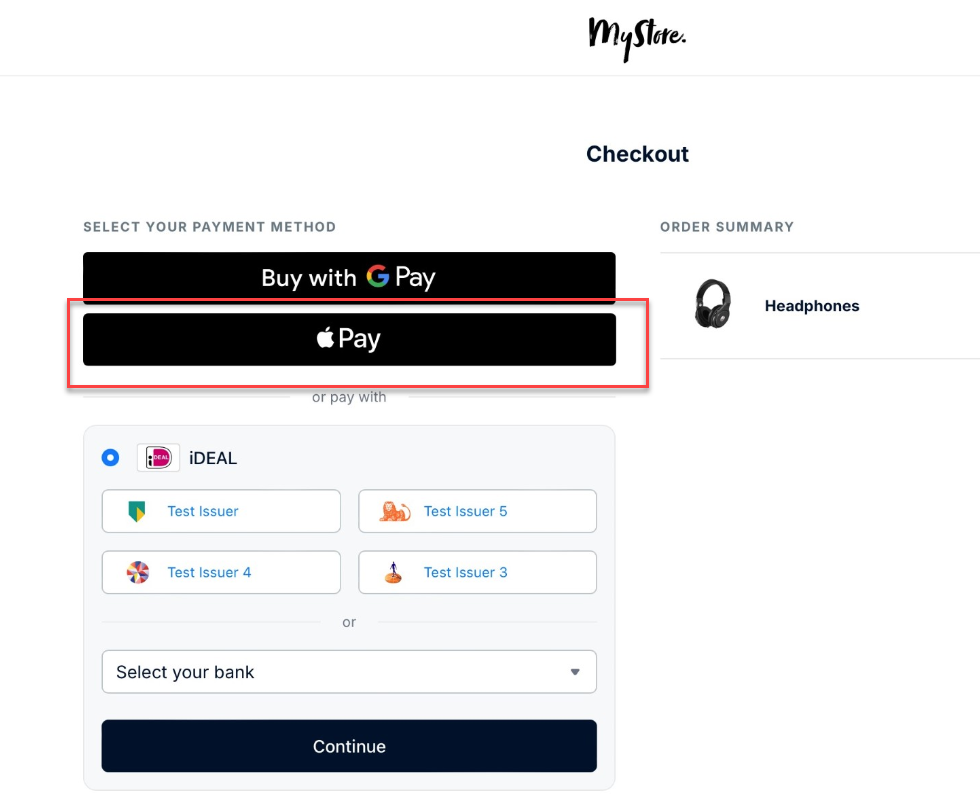
3. Establishment of a Site Settings Folder for Apple Pay within the Optimizely CMS
Within this designated folder, the creation of functionality to enable/disable Apple Pay on a country-by-country basis emerges as a strategic imperative. Although the current acceptance of Apple Pay may be confined to a limited number of countries, its global proliferation is anticipated to escalate over time. As such, facilitating the ongoing enablement of Apple Pay for new countries aligns with a forward-looking approach.
4. Testing of Apple Pay
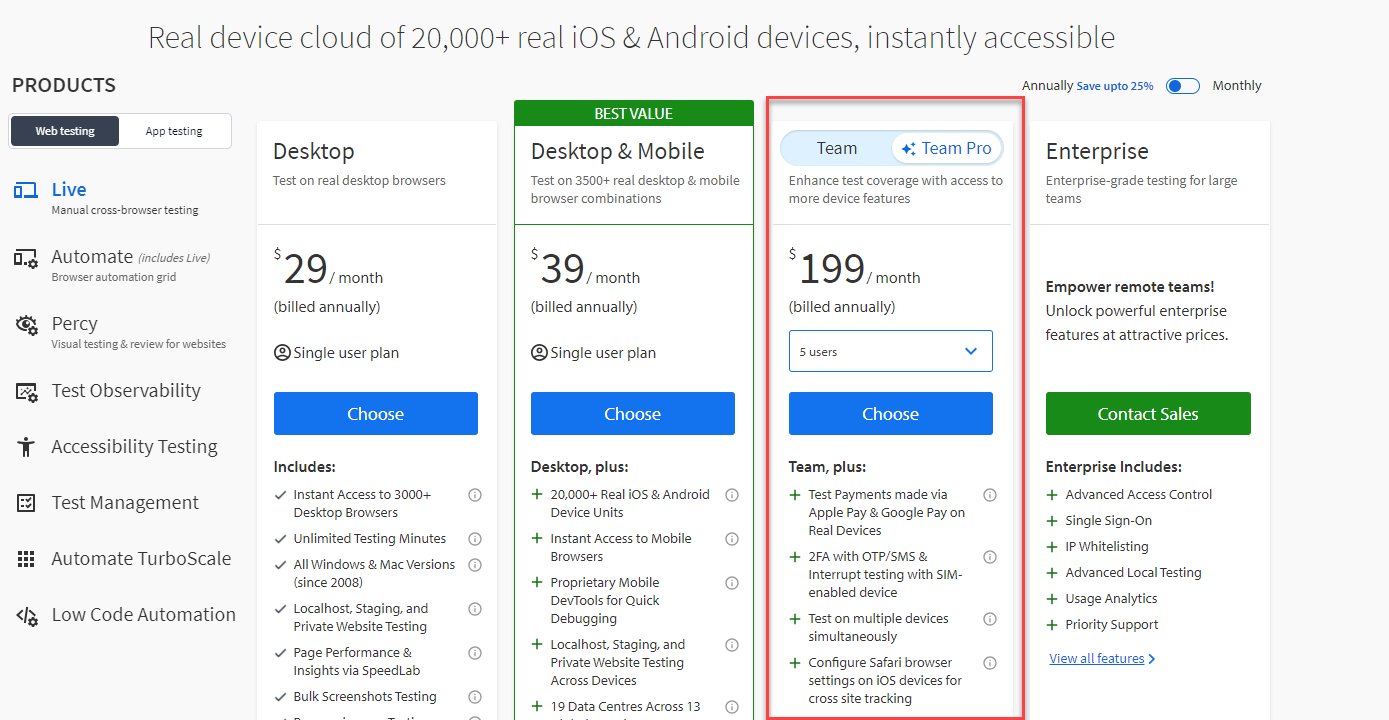
Navigating the testing phase of Apple Pay posed a notable challenge, given the exclusive utilization of Windows devices within our team. To surmount this obstacle, manual testing was conducted through BrowserStack. This necessitated the acquisition of "Team Pro" account access, facilitating a comprehensive examination of the Apple Pay integration.
Reference: BrowserStack
To wrap up, my aim with this article is to offer valuable insights into the essential steps required for integrating Apple Pay.
Hope you enjoyed the read.

Comments