
Episerver Advance content recommendations block
As you probably have heard we launched Episerver Advance earlier this year. Advance is the latest addition to our personalization suite and is a service for content personalization and enables you to recommend content to your visitors at any given time that vary based on their experience and needs.
How it works
The process can be described with the following steps:
- Track – every interaction with your site is tracked back to Episerver Advance.
- Create – your editors create content, preferably lots of it and diverse.
- Analyze – the machine learning algorithms analyze tracking behavior and content.
- Visualize – the service sends recommendations back to the user based on the analysis.
Getting started
As an example and help you get stared with Episerver Advance we have created a block available on Github, https://github.com/episerver/ContentRecommendationBlock. The block shows a number of recommended pages set by the editor to the visitor. No styling has been added to the block but what that’s not a priority here.
I have set the content recommendations block up on a clean Alloy site. The first thing that needs to be done is getting an Advance account. When ordering Advance, you will get configs for both tracking and getting recommendations that need to add to your web.config.
The next step is to install nuget-packages. The packages needed are EPiServer.Tracking.PageView and Episerver.Personalization.CMS. EPiServer.Tracking.PageView is for tracking and Episerver.Personalization.CMS is the one used for getting the recommendations. The packages need the configs for your Advance account and can now be set.
EPiServer.Tracking.PageView:
<add key="episerver:profiles.TrackingApiBaseUrl" value="ChangeThis" />
<add key="episerver:profiles.TrackingApiSubscriptionKey" value="ChangeThis" />
<add key="episerver:profiles.ProfileStoreTrackingEnabled" value="false" />
Episerver.Personalization.CMS:
<add key="episerver:RecommendationServiceKey" value="ChangeThis" />
<add key="episerver:RecommendationServiceSecret" value="ChangeThis" />
<add key="episerver:RecommendationServiceUri" value="ChangeThis" />
The tracking needed for Advance is, as you might have figured from the name of the package, pageviews. Using the package, we add [PageViewTracking] to the page controller methods we want to track, as below. Add tracking to all as many of your pages as possible, the more the better.
public class DefaultPageController : PageControllerBase<SitePageData>
    {
        [PageViewTracking]
        public ViewResult Index(SitePageData currentPage)
        {
		...
        }
Next, I just added the project to my alloy site. The content recommendation block is using an API-call to get the recommendations, so I needed to add the following to the route config:
System.Web.Http.GlobalConfiguration.Configure(config =>
         {
	    config.MapHttpAttributeRoutes();
	    config.Routes.MapHttpRoute(name: “DefaultApi”, routeTemplate: “api/{controller}/{action}”, defaults: new { id = RouteParameter.Optional });
         });
That’s it! When creating the block on the site there is only one property available for the editor.
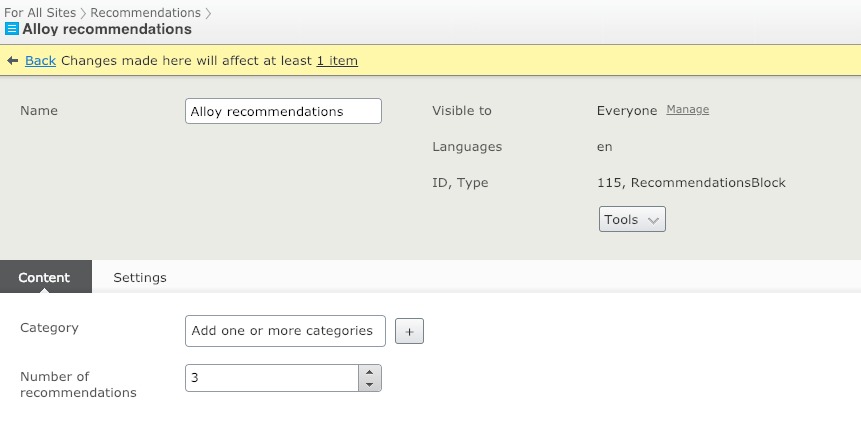
And then on the site the block containing the links.


Comments