
Simplify Optimizely CMS Configuration with JSON Schema
Optimizely CMS is a powerful and versatile platform for content management, offering extensive configuration options that allow developers to fine-tune their applications. However, navigating and correctly setting up these options in appsettings.json can sometimes feel daunting—especially for new developers or those unfamiliar with the full breadth of available settings.
To address this challenge, I’m excited to introduce the Optimizely JSON Schema. This schema is designed to streamline the configuration process for developers, providing them with an enhanced, developer-friendly experience in popular IDEs like Visual Studio Code and JetBrains Rider.
Why a JSON Schema?
When configuring Optimizely CMS, developers rely on appsettings.json to define their application's behavior. While the official Optimizely CMS documentation provides thorough information, manually looking up settings and ensuring their correctness can slow down development and increase the risk of errors.
Here’s how the Optimizely JSON Schema helps:
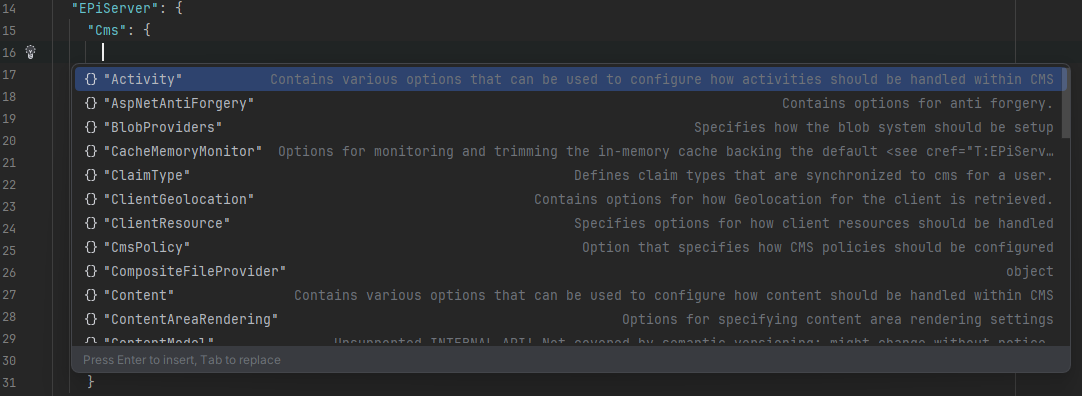
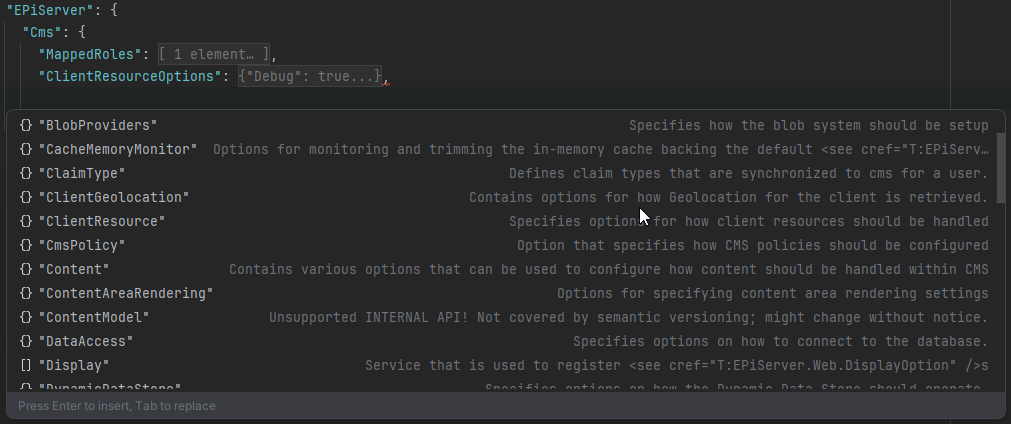
- Autocomplete Support: Provides autocomplete suggestions for configuration keys, reducing the need to memorize or constantly refer to external documentation.
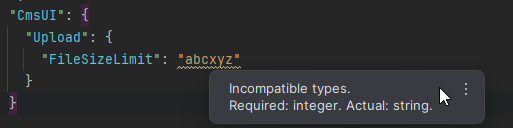
- Validation on the Fly: Highlights invalid or unsupported configuration keys and values, ensuring your
appsettings.jsonis always accurate. - Inline Documentation: Displays descriptions and valid values for settings directly in the IDE, offering context as you type.
- Consistent Structure: Encourages adherence to best practices in structuring and naming settings.
Features of the Optimizely JSON Schema
-
Comprehensive Coverage of Optimizely CMS Settings
The schema encapsulates all documented configuration options for Optimizely CMS, based on the official Optimizely Configuration Documentation. More options will be added in future (e.g: eCommerce). -
IDE Integration
It works seamlessly with IDEs that support JSON Schema, such as:- Visual Studio Code
- JetBrains Rider
- Visual Studio
-
Quick Start Setup
Simply download here and reference the schema in yourappsettings.jsonfile:{ "$schema": "appsettings-schema.json", ... }
Benefits for Developers
- Faster Configuration: Save time with instant suggestions and error-checking.
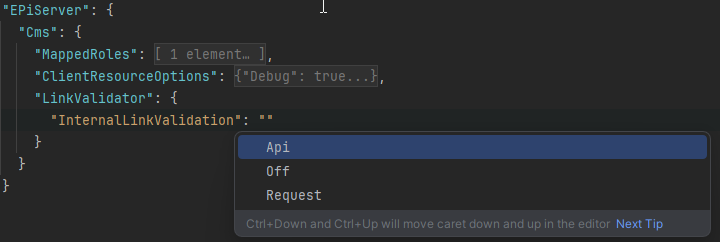
- Error Reduction: Minimize misconfigurations that could lead to runtime errors.
- Improved Developer Experience: Eliminate the constant back-and-forth between code and documentation.
How to Get Started
-
Install the schema: Head over to the GitHub repository to download JSON Schema.
-
Reference the Schema: Add the schema URL to your
appsettings.jsonfile as shown in the example above. -
Explore Settings: Start typing in your configuration file to experience the power of autocompletion, validation, and inline documentation.
-
Contribute: Found an undocumented configuration or want to improve the schema? Feel free to submit issues or pull requests to the GitHub repository.
Release Changes
12/12/2024: Initial Schema (Version 1.0)
-
Launched the first version of the JSON Schema.
-
Included all major configuration options for Optimizely CMS based on official documentation.
-
Added support for autocomplete, validation, and inline documentation in JSON editors.
01/10/2025: Refactor and Optimize Schema (Version 1.1)
-
Refactored the schema to improve performance and readability.
-
Optimized the structure for better autocomplete suggestions.
-
Enhanced validation rules to catch edge cases and unsupported values more effectively.
Conclusion
The Optimizely JSON Schema is here to make your life as an Optimizely developer easier. By integrating the schema into your IDE, you’ll spend less time searching through documentation and more time building great experiences with Optimizely CMS.
Feel free to share your feedback and suggestions in the comments below or on the project’s GitHub page. Let’s make working with Optimizely CMS configurations smoother than ever!

Comments