
How I Fixed DLL Conflicts During EPiServer CMS Upgrade to .NET Framework 4.8.1
We had a CMS solution of EPiServer 11.26.0, which was built on .NET Framework 4.7.1. We needed to update the target framework from .NET Framework 4.7.1 to 4.8.1 due to security issues, performance, and stability improvements. Stability was a concern because the projects that depended on the CMS were also upgraded. Upgrading those projects was a breeze, but it was not as easy when I tackled the CMS solution. Within the CMS solution, we encountered issues with some DLLs. The first one to cause trouble was the System.Net.Http DLL. This was the monster of all issues, leading to two days of figuring out what was happening.
Before proceeding, I am assuming you have already installed the .NET Framework 4.8.1 runtime and tools on Visual Studio.
To upgrade any project from one .NET Framework to a higher version, fllow these steps:
-
In Visual Studio, right-click the project and select Properties.
-
Locate the Target Framework field (Figure 1.1) and switch it to .NET Framework 4.8.1.
-
Confirm the change when prompted.
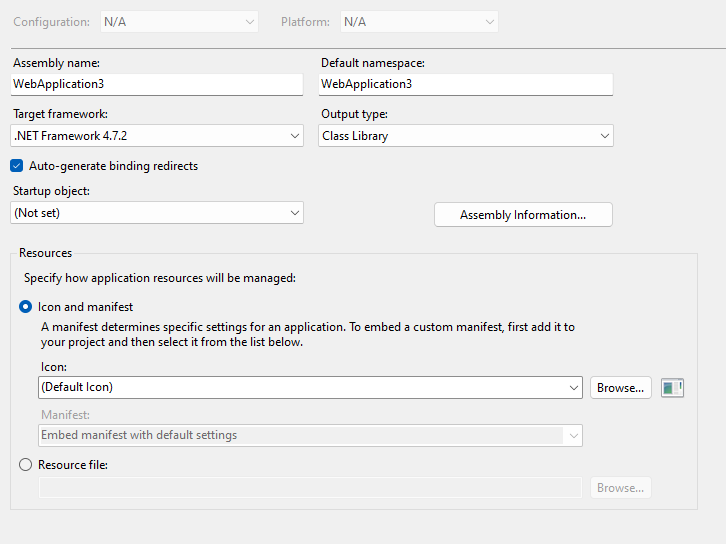
Figure 1.1
Note: The recommended approach, if you have multiple projects in the solution, is to upgrade each project one by one. Change the target framework and clean that project individually. If you encounter a build error, it is likely because the project references other projects that haven’t been upgraded to 4.8.1 and are still using 4.7.1. Identify these dependent projects and build them first. If you keep getting build errors, repeat this process until you find the isolated project that can build independently. Start with that project, then build the next dependent project, and so on. Don’t worry if you don’t get it right on the first try.
Once all my projects built correctly, I thought I was done but missed an issue. The problem appeared in my web.config file:
Figure 1.2
When I changed the web application from .NET Framework 4.7.1 to 4.8.1, it altered the web.config and added a duplicate section at the end of the file:

Figure 1.3
This duplicated what I already had in the web.config. To fix it, I deleted the duplicate code and ensured that the httpRuntime and compilation tags in the web.config were using the correct framework version (4.8.1 in my case).
After making these changes, I ran the code again and encountered a different issue with the System.Net.Http DLL:
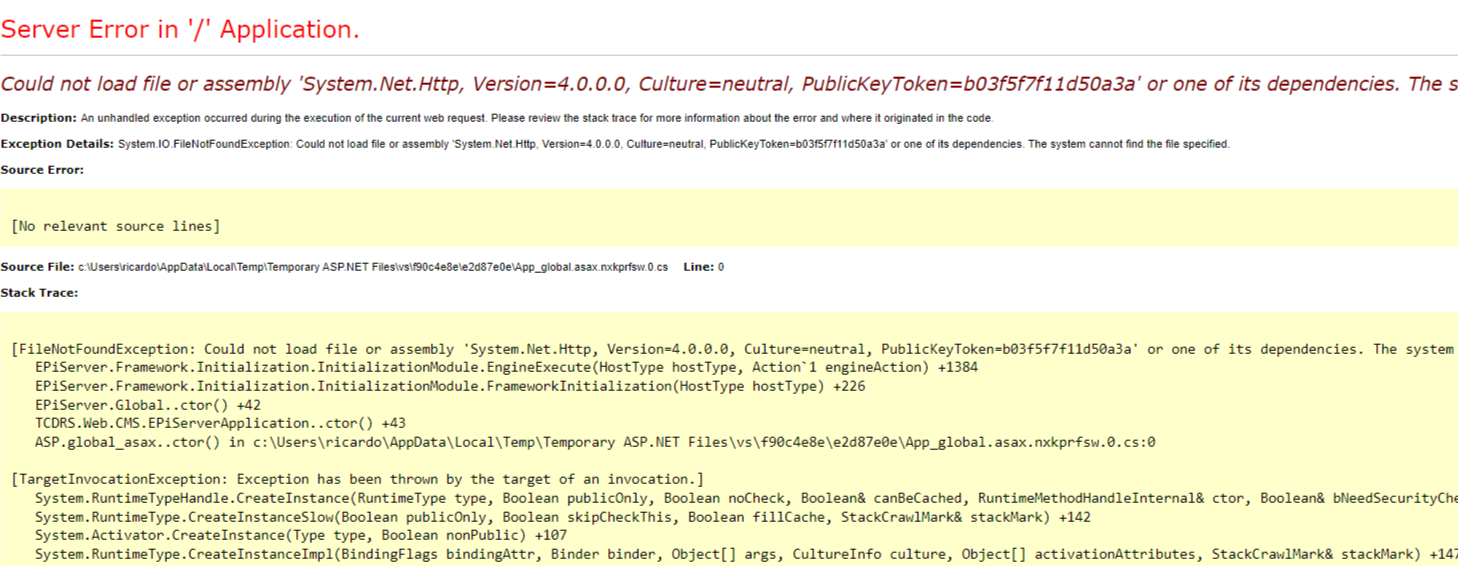
Figure 2.1
I resolved this by modifying the binding redirects in the web.config file. The original configuration was:
<dependentAssembly>
    <assemblyIdentity name="System.Net.Http" publicKeyToken="B03F5F7F11D50A3A" culture="neutral"/>
    <bindingRedirect oldVersion="0.0.0.0-4.2.0.0" newVersion="4.0.0.0"/>
</dependentAssembly>
I updated it to:
<dependentAssembly>
    <assemblyIdentity name="System.Net.Http" publicKeyToken="B03F5F7F11D50A3A" culture="neutral"/>
    <bindingRedirect oldVersion="0.0.0.0-4.2.0.0" newVersion="4.0.0.0"/>
</dependentAssembly>
Similar issues arose with the System.IO.Compression and System.Diagnostics.Tracing DLLs, so I updated those as well:
<dependentAssembly>
    <assemblyIdentity name="System.IO.Compression" publicKeyToken="B77A5C561934E089" culture="neutral"/>
    <bindingRedirect oldVersion="0.0.0.0-4.2.0.0" newVersion="4.0.0.0"/>
</dependentAssembly>
<dependentAssembly>
    <assemblyIdentity name="System.Diagnostics.Tracing" publicKeyToken="B03F5F7F11D50A3A" culture="neutral"/>
    <bindingRedirect oldVersion="0.0.0.0-4.2.0.0" newVersion="4.0.0.0"/>
</dependentAssembly>
The problem with System.Net.Http is that when upgrading the framework, different parts of the project referenced specific versions of the assembly. This issue arises because some projects may expect older versions of the DLL, while others expect newer ones. This mismatch results in a runtime error. Adding a binding redirect forces all the projects to reference one specific version. By setting the binding redirect to 4.0.0.0, I ensured the stability of the application, aligning all references to the same version and making the runtime more effective.
In conclusion, this guide is for anyone encountering errors while upgrading .NET Framework 4.7.1 to 4.8.1 on EPiServer CMS 11.26.0. Now that this is resolved, I can finally enjoy using CMS 11 with .NET Framework 4.8.1.

Comments