

Inline Block Publishing - create new blocks without leaving current context
We added a new major improvement to the block publishing that I would like to share with you.
Previously, the editors were able to only inline edit existing blocks. However, whenever a new block was needed then they still had to use the default form, that caused the current content context to switch.
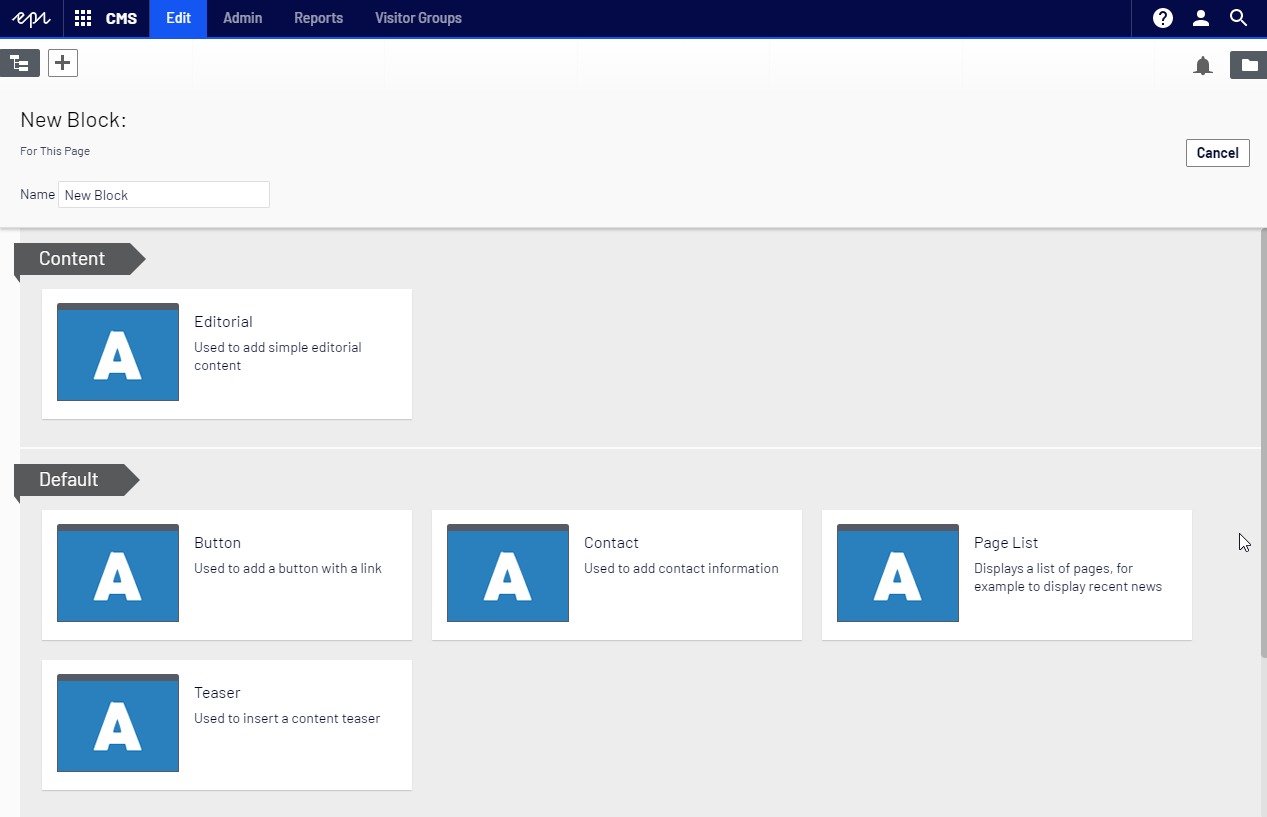
It was quite annoying especially in nested block scenarios where you had several levels of nesting i.e. Bootstrap Row Blocks containing Content Blocks.
With https://nuget.episerver.com/package/?id=EPiServer.Labs.BlockEnhancements&v=0.5.0 it is now possible to create new blocks using the same inline form, without the need to ever leave the current context.
The best part is that we support nesting. As many levels as needed. And it works both in On-Page Edit (OPE) and in regular Forms view.
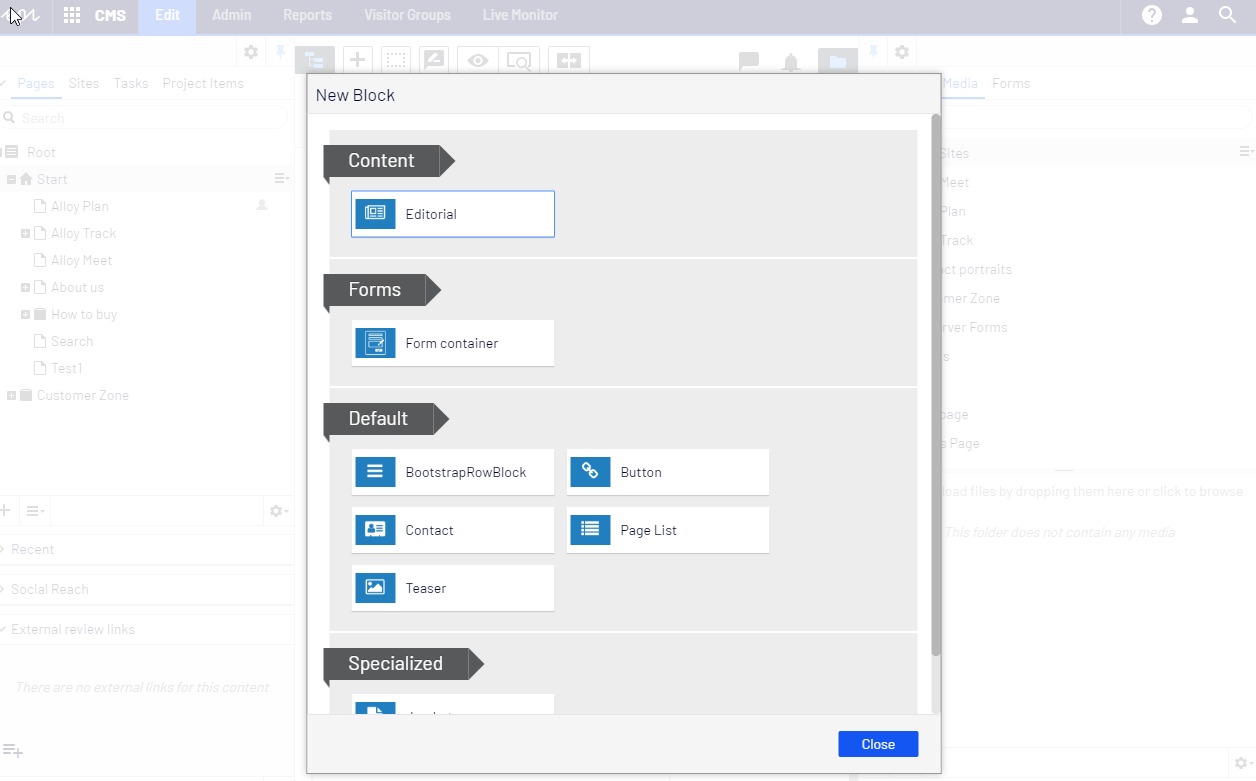
After upgrading to v0.5 the "Create a new block" link will no longer open a big content type selector and switch editor's context to the newly created content item.
Instead a simple dialog will be presented:
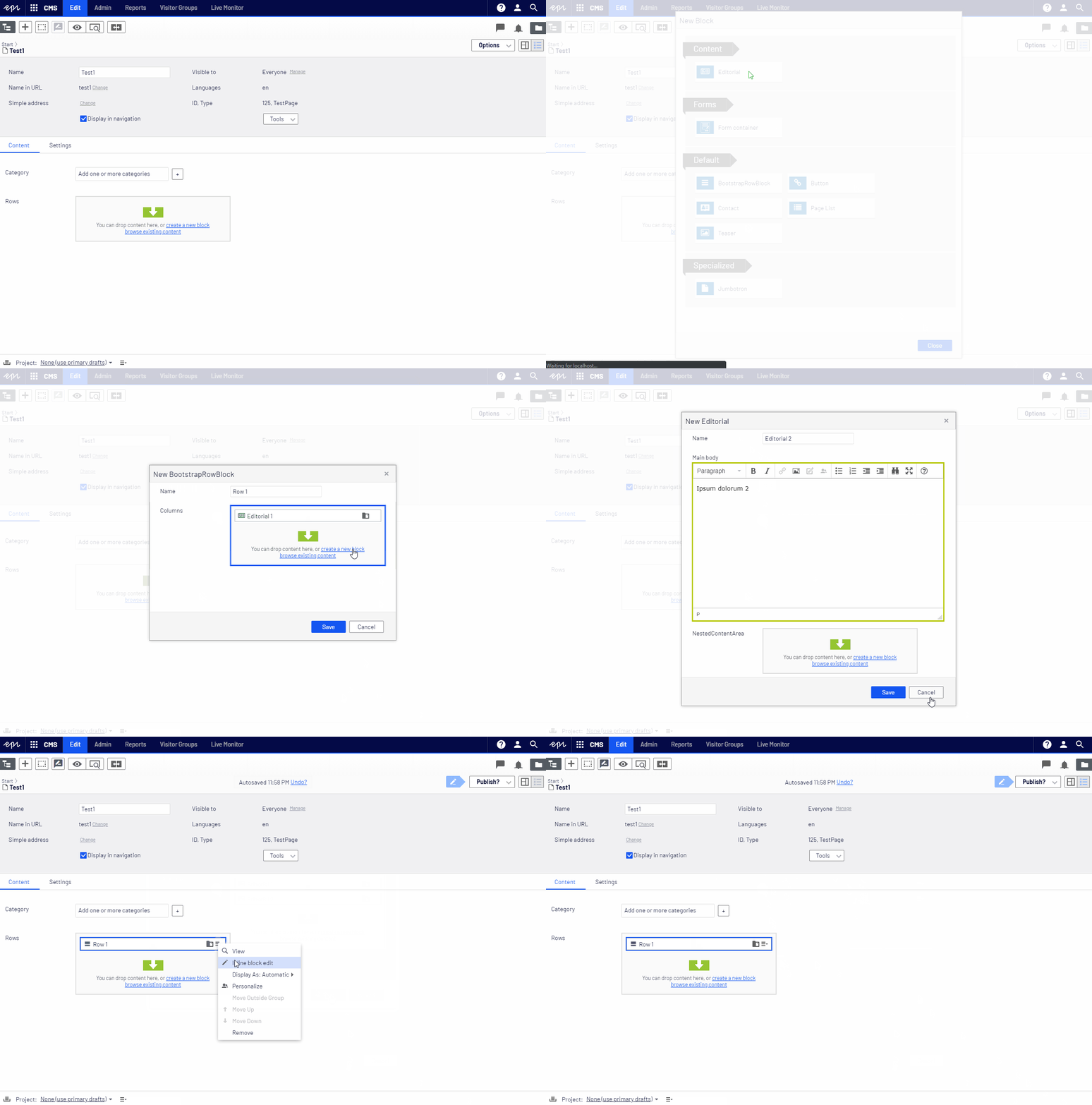
After choosing the content type the editor will see the inline edit form straight away. All properties will be included (both required and optional):

Please note that the new commands are available both from the Forms View and the On-Page Edit.
Please take a look how it all works:

Comments