

Property Value List
We introduced the List<T> property some time ago, which allows you to create properties that accept POCO objects from editors.
The feedback has been really positive, but there were suggestions that it should also be possible to provide the same concept but for simpler data types.
The editors would then be able to input data directly on the page, without the need to use a dialog or to specify a container data type.
Introduction
With CMS.UI 11.1.0, we are introducing a brand new Property Value List that allows the editors to input multiple primitive values.
Available types are:
- String
- Int
- DateTime
- Double
The idea is the same as with the List<T>, you can just add the list as a new property to your model:
Default descriptors match the IList type and render the correct editor.
public virtual IList<string> ListOfStrings { get; set; }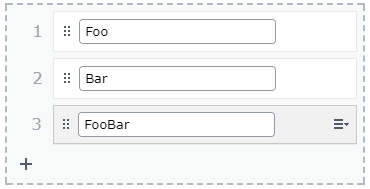
public virtual IList<int> ListOfIntegers { get; set; }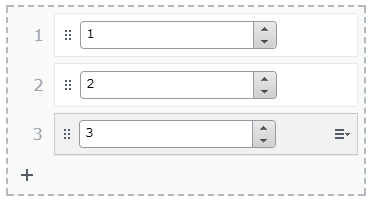
public virtual IList<DateTime> ListOfDates { get; set; }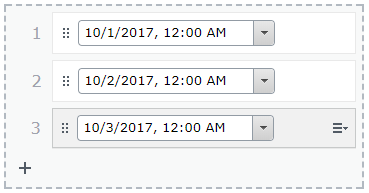
public virtual IList<double> ListOfDoubles { get; set; }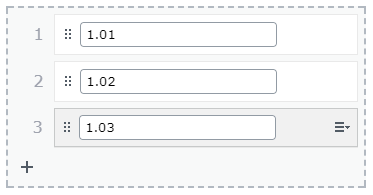
Please note that the property type does not have to be IList. Our descriptors are configured to match the IList interface but they also cover all the base ones so if you prefer to use IEnumerable or ICollection, that is totally up to you. All the following declarations are going to be matched by the Value List descriptor.
public virtual IEnumerable<string> EnumerableStrings { get; set; }

public virtual ICollection<string> CollectionOfStrings { get; set; }

public virtual IList<string> ListOfStrings { get; set; }
Validation
It is possible to apply validation to both the list itself and to the individual items.
You can use ListItemsAttribute in order to control the number of items in the list:
[ListItems(5)]
public virtual IList<int> Max5Items { get; set; }
The attributes that can be applied to individual items are:
[ItemRangeAttribute(1, 10)]
public virtual IList<int> ItemsBetween1And10 { get; set; }

[ItemRegularExpression("[a-zA-Z]*")]
public virtual IList<string> LettersOnly { get; set; }

[ItemStringLength(3)]
public virtual IList<string> ListOfAcronyms { get; set; }
Rendering
Let's say you have an IList<string> property that you would like editors to be able to edit from on-page edit view.
The property is defined as following:
[Required]
[Display(Order = 305)]
[CultureSpecific]
public virtual IList<string> UniqueSellingPoints { get; set; }
Without a specific Display Template you will not be able to use the PropertyFor helper method.
In order to achieve that you have to attach a UIHint to your property:
[UIHint("StringsCollection")]
public virtual IList<string> UniqueSellingPoints { get; set; }
Then add a StringsCollection.cshtml file to ~/Views/Shared/DisplayTemplates folder.
An Example Display Template can be seen in the latest Alloy package:
@model IEnumerable<string>
@if(Model != null && Model.Any())
{
    <ul>
        @foreach(var stringValue in Model)
        {
            <li>@stringValue</li>
        }
    </ul>
}
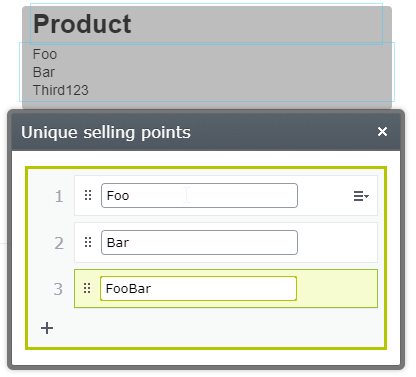
After adding a UniqueSellingPoints property to your page template:
@Html.PropertyFor(x => x.CurrentPage.UniqueSellingPoints)You will see the following result in on-page edit view:

Comments