

Introducing "Direct Deploy", a quicker way to deploy to integration using the deployment API!
Deployments in DXP are designed to be as seamless and non-disruptive as possible. We've also added a few steps that might not always be associated with a deployment process (like automatically configure warmup, validating some configurations to make sure they're compliant with the service, migrate environments to the latest version of the service configuration etc.).
Before the new code is live, you also have an option to validate the results before live traffic hits the new version (using slots). This can be very useful, but since warmup has to finish before the site can be swapped, it's also quite slow compared to a deployment where binaries are simply pushed to a web app.
While this approach makes a lot of sense for production sites (and is fully automatable with the deployment API), we've received feedback that it would be nice to have a quicker option to deploy to DXP as well, especially to the integration environment. This has been possible for quite some time, but we felt it was a bit awkward to have to use a different method to deploy to Integration compared to the Preproduction/Production environments, especially if you're already using deployment packages.
We've therefor added a new option for deployments targeting Integration, Direct Deploy.
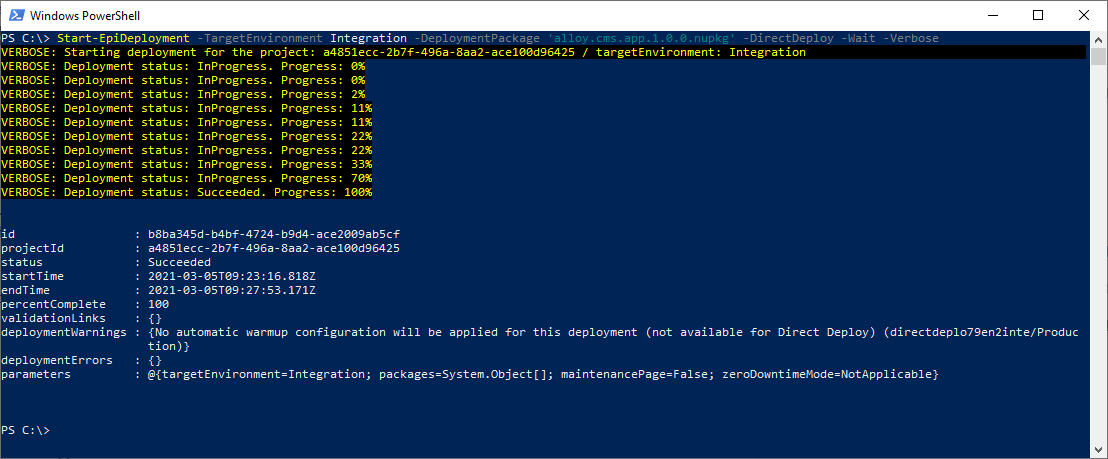
Direct Deploy can be triggered through the deployment API and the EpiCloud module (using the -DirectDeploy switch for Start-EpiDeployment). This will trigger a deployment that doesn't utilize slots. It will still apply configuration transforms so you can use the same deployment package for all environments, but it will simply just push that package directly to the "live-slot" of the target environment (which will be disabled during the deployment, meaning the target environment will be offline for the duration of the deploy). It will send a request to the target site to trigger the warmup process, but it won't wait for it finish. Nor will it configure a warmup section automatically even if it doesn't exist.
This makes it possible for us to complete the deployment for you much quicker than before, and we hope you'll find it useful when you simply just want to run the first few functional tests in the Integration environment, and therefor want the deployment to finish as quickly as possible.
Finally, I would like to ask you to keep providing us feedback on how we can improve, we really appreciate it!

Comments