


MenuProvider for easy display of key settings in a site
The problem (perceived at least)
How many times have you got a question about something or just had the need to do a quick check of some setting or status of something in a site? I guess that it happens more often that you would like.
My experience is that most of the times you can find the answers by loggin in to the site but that you need to click around a bit to find what you are looking for. If unlucky we need to log on to the actual server and check an appsetting or something like that. Not really that hard but wouldn't it be great to have key information about a site in one place?
Atleast I think so, so here comes Overview dashboard to the rescue. (Failed to think of a better name so it will have to do).
My solution
So what is it? Overview dashboard is implemented as a menu provider that only has one view. The view uses reflection to look for classes that implements a specific interface and supplies the information. My initial thought with this was that the dashboard should only provide the means to easy display what ever you want and leave that to each project using it. So to have it this way it should be dead easy to have the dashboard included in your projects and if the need arise just implement a class with the correct interface to get a new menu option into the dashboard.
What does it look like
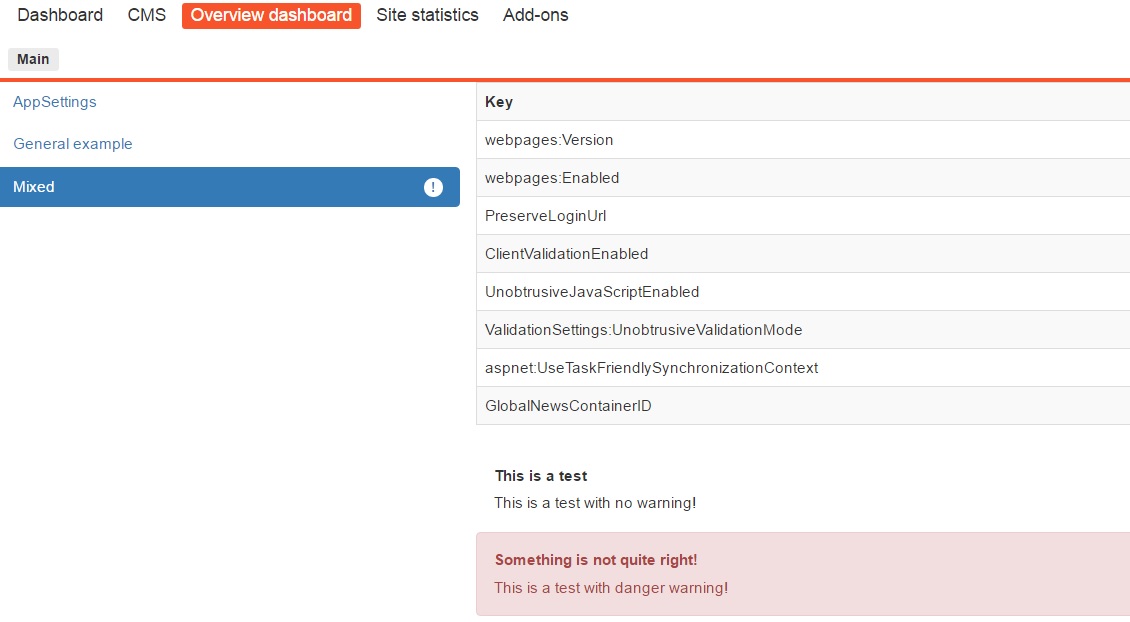
Each menu option to the left is equal to a class implementing the specific interface. The dashboard only supports two different rendering layouts for now: table and bootstrap alerts.
All options can consist of a list of settings to display and the different layouts can be combined. It's also possible to display a badge in the menu option if something need to be highlighted.
Table example
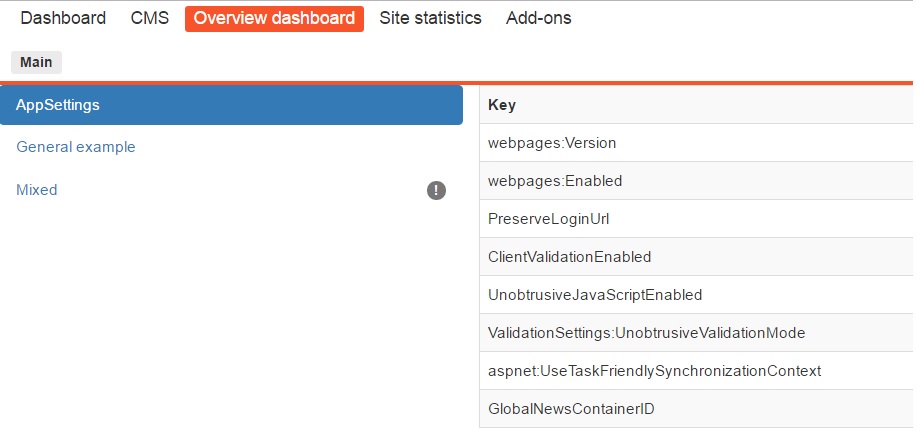
Bootsrap alert example

Mixed example
Code
Just create a class and implement the IDashboardInformation interface see below.
public interface IDashboardInformation
{
string Heading { get; } // The heading in the menu
List<DashboardData> Data(); // Data to display
string Badge { get; set; } //Badge in menu option
}
The DashboardData class looks like this:
public class DashboardData
{
public string RenderType { get; set; } //View to render data
public Object Data { get; set; } // The data
}
Appsetting example
One thing to note about the two different now existing render types is that Dictionary expects the data to be a generic Dictionary<string,string> and the general render type to be of the General model which contains three properties: Heading, Text and Alert type. Alert type is the boostrap alert style wanted if any.
public class AppsettingsInformation : IDashboardInformation
{
public string Heading
{
get
{
return "AppSettings";
}
}
public List<DashboardData> Data()
{
var retList = new List<DashboardData>();
var dict =first ConfigurationManager.AppSettings.AllKeys
.ToDictionary(k => k, v => ConfigurationManager.AppSettings[v]);
var dbData = new DashboardData
{
RenderType = RenderTypes.Dictionary,
Data = dict,
};
retList.Add(dbData);
return retList;
}
public string Badge { get; set; }
}
What is missing
It still needs a bit work on the looks since I'm no frontend guy at all. Maybe som more rendertypes as well but as a first check in I think it does the trick, atleast for my needs.
Where to get it
You can get the code over at my GitHub. Been thinking of doing it as a Nuget package but maybe it needs to be polished a bit more.

Comments