


Order content types with drag and drop
A while back I did a custom plugin that allowed admins to reorder tabs using drag and drop. Another thing I always wanted to be able to do easier is to change the sortorder of content types and also set access rights.
It's possible today but it's a bit tedious with serveral clicks to get into the proper dialog and you don't have an clear overview how access rights are setup.
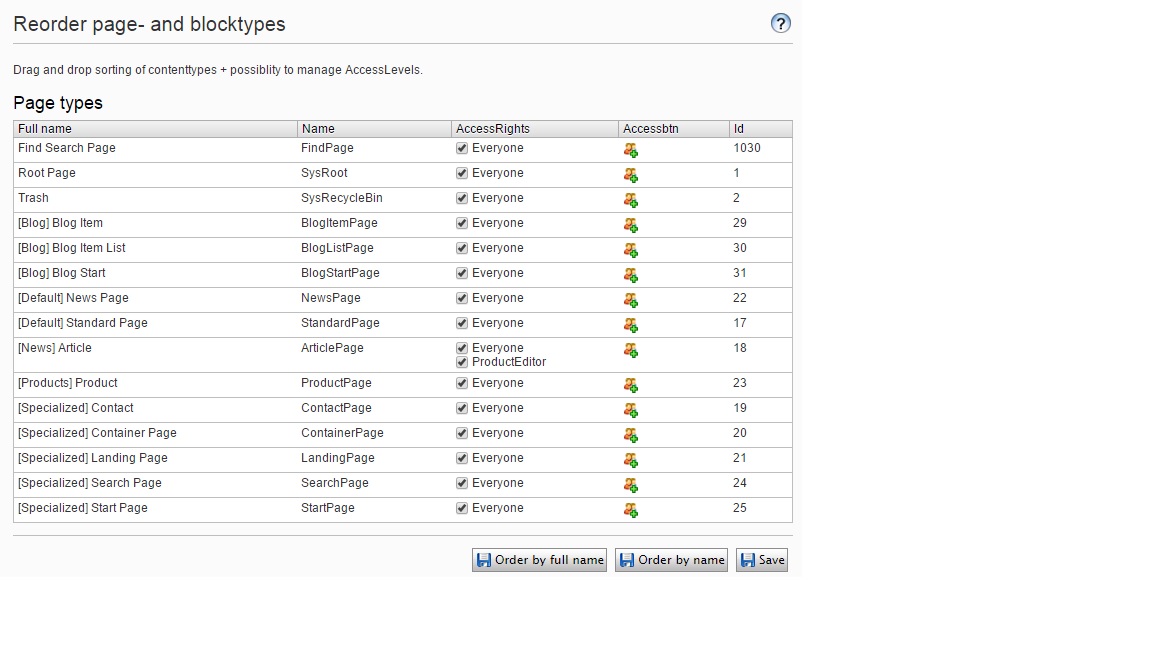
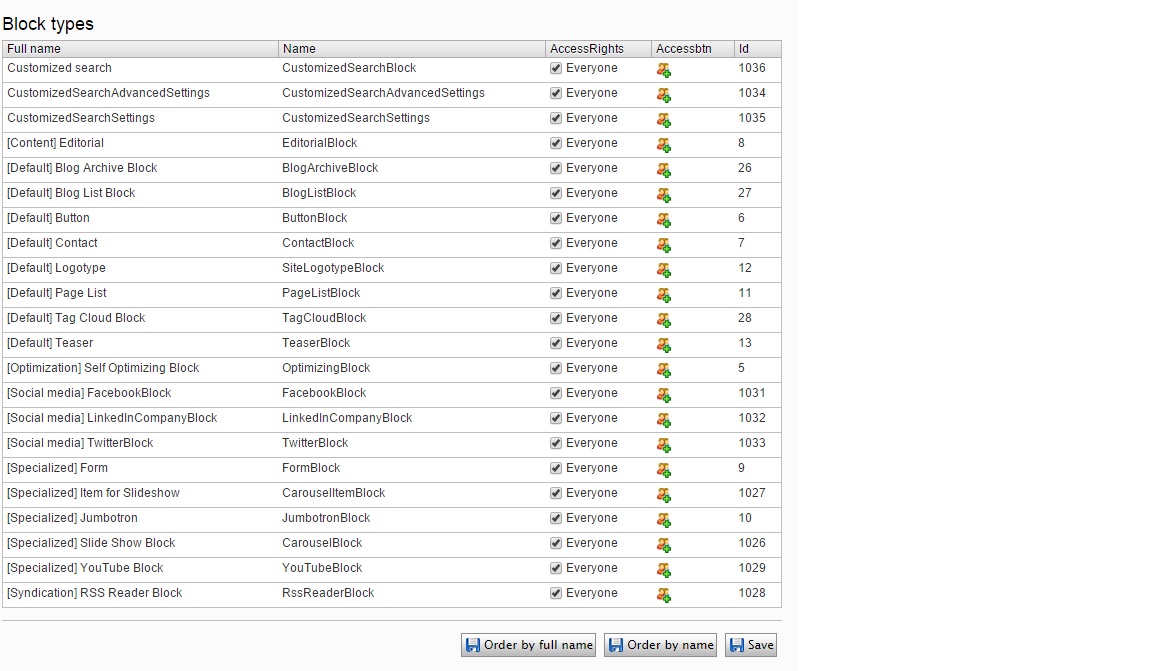
So I did another admin plugin for this. You can sort both page types and block types with drag and drop and you can easily manage access rights. If you don't want to use drag and drop there is two buttons to sort by either full name or type name. Full name is the type name prefixed with the GroupName property on the types ContentType attribute. The tables are sorted by sortindex which is what epi uses as standard both in admin mode and when creating a new content in edit mode.
Depending on your solution and how many types you have you may or may not want to use the GroupName attribute. Normally I don't use it so all page types is grouped below "Other" when creating a new page.
When you hit save what the plugin does is change the sortorder index value according to the sort order in the plugin. It starts at 100 and uses step of 100. Both Save buttons processes both page and block types.
See pictures below and you can get the code over at my Gist.

Comments