A critical vulnerability was discovered in React Server Components (Next.js). Our systems remain protected but we advise to update packages to newest version. Learn More

Per Nergård (MVP)
Oct 9, 2016
  647
(0 votes)

Special editor toolbuttons for administrators

In one recent project I had the need to give the administrators some extra editor toolbuttons over the default set setup for the general editor. I googled a bit but didn't find exactly what I was looking for.

Finally I found an exaample in the documentation on how to create a global editor settings from code with the possiblity to add buttons for administrators. 

Ok so this seems to do the trick except that I wanted the SuperAdmins to be able to configure this from admin mode instead of having everything created from code.

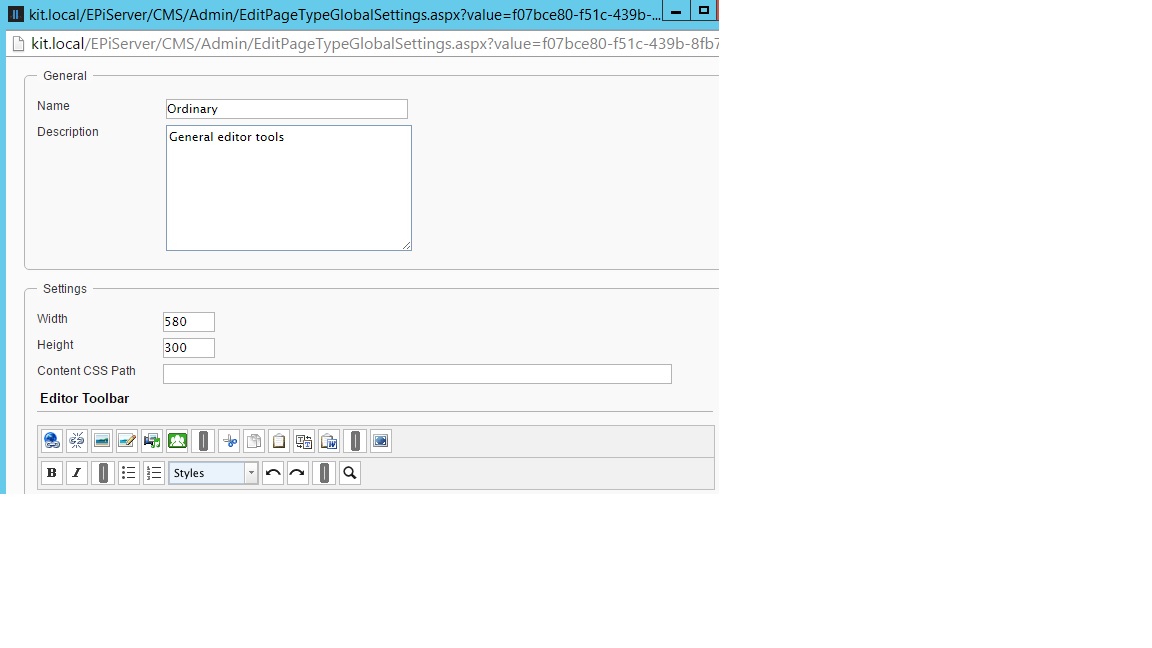
So I solved this by defining two global settings via admin mode. On "Ordinary" for the general editor and one "ExtraOrdinary" for the admin editors and combining those in the global setting.

Code over at my gist

This is how it looks in admin mode:

1. Settings
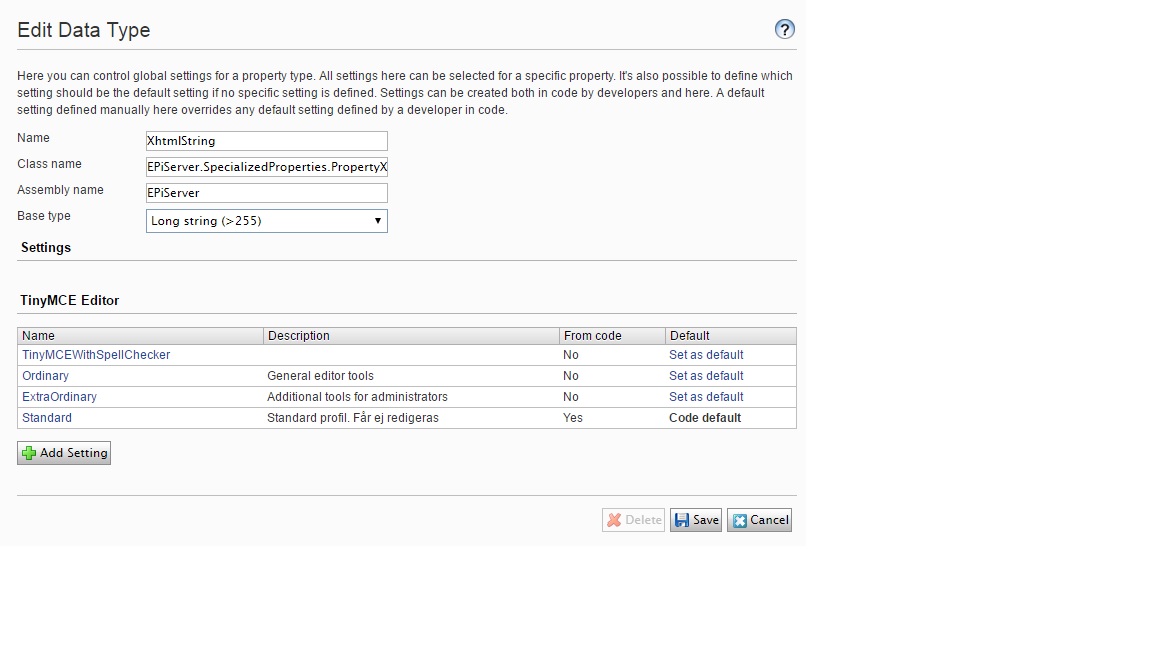
Image Profiles_overview.jpg

2. Ordinary toolbars

Image Ordinary_buttons.jpg

3. ExtraOrdinary toolbars

Here the last toolbar contains a duplicate that already exists in the Ordinary setting.
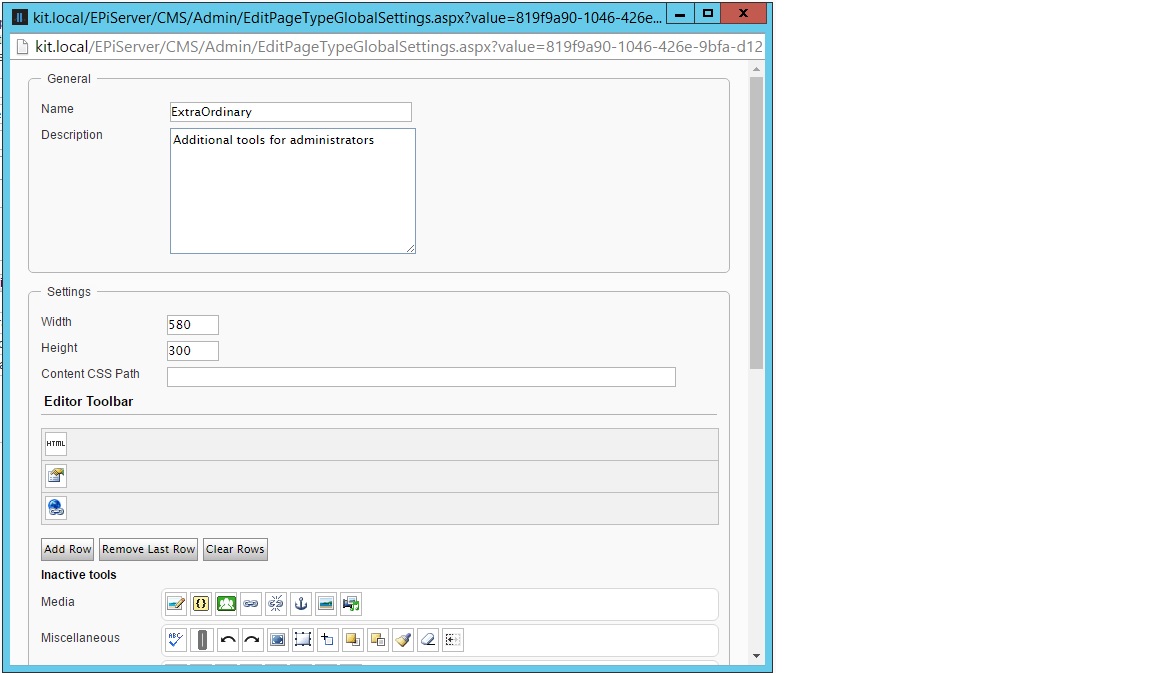
Image extra_buttons.jpg

4. The result when looking in the code created profile logged in as an administrator.

Note that the duplicate link-button has been removed. If duplicates isn't removed the code doesn't work.
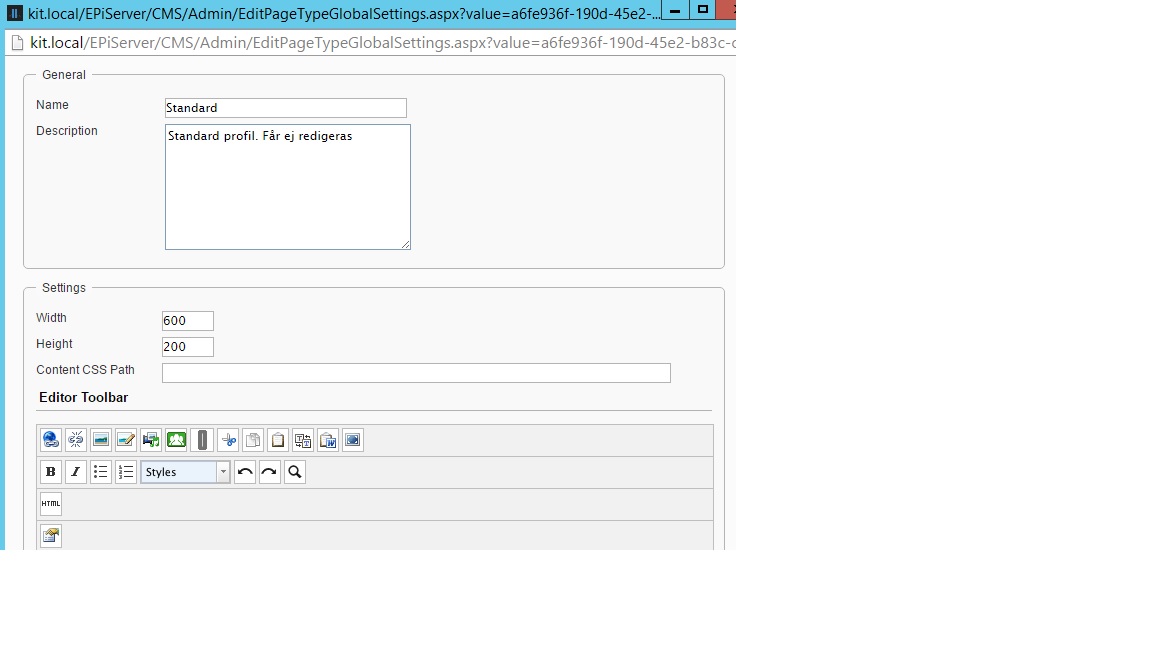
Image standard_result.jpg

Code over at my gist

Oct 09, 2016

Comments

Please login to comment.
Latest blogs
A day in the life of an Optimizely OMVP: Learning Optimizely Just Got Easier: Introducing the Optimizely Learning Centre

On the back of my last post about the Opti Graph Learning Centre, I am now happy to announce a revamped interactive learning platform that makes...

Graham Carr | Jan 31, 2026

Scheduled job for deleting content types and all related content

In my previous blog post which was about getting an overview of your sites content https://world.optimizely.com/blogs/Per-Nergard/Dates/2026/1/sche...

Per Nergård (MVP) | Jan 30, 2026

Working With Applications in Optimizely CMS 13

💡 Note:  The following content has been written based on Optimizely CMS 13 Preview 2 and may not accurately reflect the final release version. As...

Mark Stott | Jan 30, 2026

Experimentation at Speed Using Optimizely Opal and Web Experimentation

If you are working in experimentation, you will know that speed matters. The quicker you can go from idea to implementation, the faster you can...

Minesh Shah (Netcel) | Jan 30, 2026