


Validation of media file attributes
As all of you know media files in EPiServer are IContent which lets us add properties to handle for example meta data. This is great but how do we make the editors fill in those fields...
I guess that it depends a lot of what type of target audience you have as well as what fits the site editors.
The below could be alternatives to consider:
- You don't do anything at all
Obviously not recommended. - You add fallbacks in the code so atleast some is used.
Could be ok, but "real" meta data is better. - You make the field required and disable auto publishing of mediafiles.
I don't like this because it seems a bit to hard on the editors. It should be easy to add a bunch of images without needing to process them all at once. - You try to add som other validation before publishing pages or blocks that use media files.
If you block publishing I guess this is basically as hard on the editors as the previous option but to me it still feels as a better way.
To solve the last option I did a small validation class that checks all ContentReference and ContentArea properties on a page, checks if it's an image and then checks if the Copyright attribute is empty or not (Did this in the Alloy demo site). If youn're using Url properties with a media file UIHint it's easy to add.
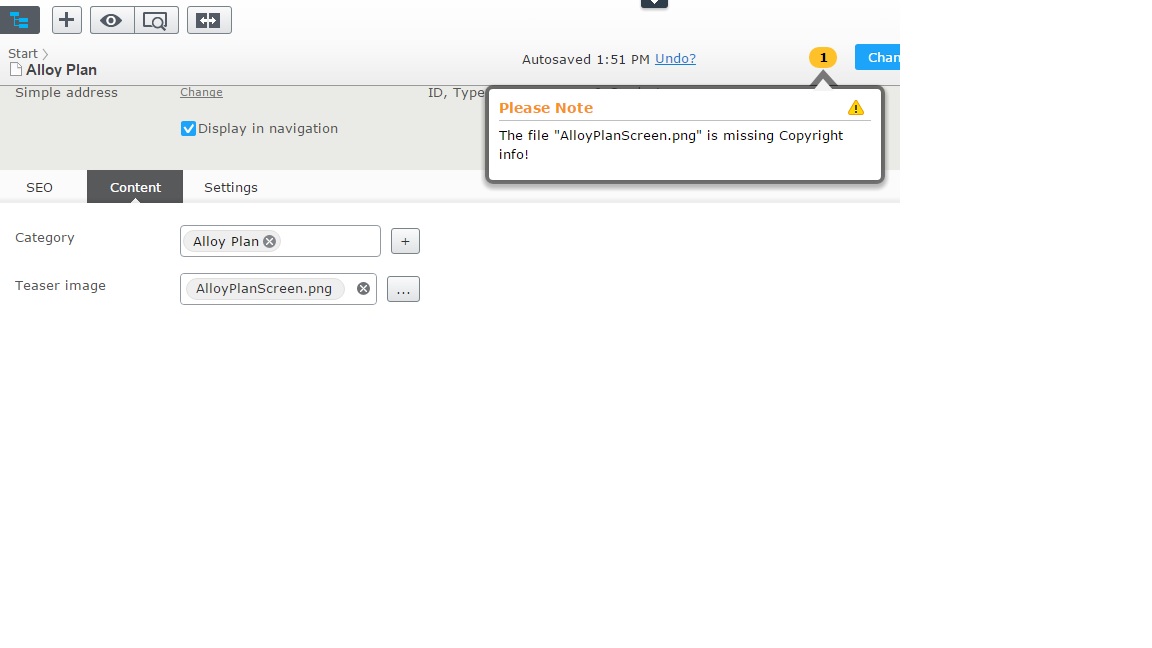
You can get the code over at Gist. You can see the result below where I added a image with no Copyright info into the Teaser Image property.

Comments