


Tool for finding pages of specific type
A cabillion years ago I did a small plugin for finding pages of a specific page type because I was tired of spending to much time searching for example pages when thrown in a project to fix a bug or when working in solutions with massive amount of pages. Sure we could check in the db but I prefer to use a tool. If necessary the customer can use it as well.
Since the old tool was for CMS5 and CMS6 I’ve made a CMS7 version.
I did the CMS7 version as a simple page instead of a assets pane plugin.
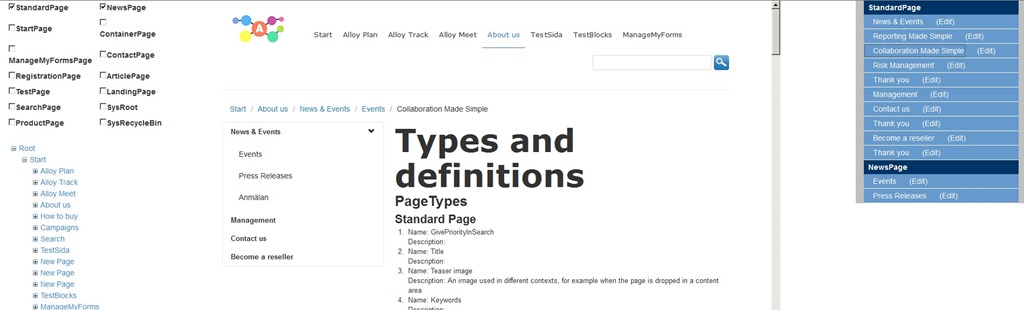
On the left side we have a checkbox list of available page types (nothing is filtered out). Below that we have a tree menu starting from the Root (FilterForVisor).
To use it tick which page types you are interested in navigate with the +/- buttons to the page you want to start your search from and click on the node name. If any pages are found you get a list of them on the right side of the page.
Clicking the name will bring up a preview of the page in the center. Clicking the edit link will open up a new tab for the page in edit mode.
If the user that tries to view the tool isn’t authenticated a 404 is thrown.
It’s possible to specify a group that the user need to be a member of through an appsetting “PageTypeFinderGroup”. If set and the authenticated user is not a member of the group a 404 is thrown here as well.
You can get a compiled version as well as the source over at my skydrive.

Comments