

ShareThis and FacebookLike Dynamic Content Modules plus a DropDown Property Type
Based on CMS 6.0
Sharing content with ones social networks is a popular topic in the web world today. It can act as a means of free advertising or more simply as a way of letting your network know when you come across something fun, interesting, etc. Adding ShareThis, AddThis, Facebook Like, etc buttons is very easy if you work with HTML or javascript frequently. After all, you can get the code for each with a few minor configurations and clicks on the respective organizations sites. However, all Content Authors/Editors may not understand HTML/javascript or want to deal with it. Or, maybe they just want a simple way to add and configure buttons at locations they desire through standard EPiServer methodologies. I spent a bit of time creating some Dynamic Content controls which will allow just this capability. For more on Dynamic Content read here. Otherwise, continue on with more details of my efforts.
Here’s what I’ve created:
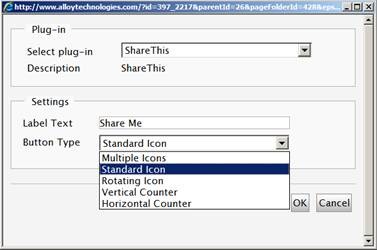
1. "ShareThis" Dynamic Content module
a. The Dynamic Content item allows a Content Author (Editor) to add a ShareThis button anywhere on the page through a friendly GUI
i. This may be beneficial for Content Authors who are not comfortable with adding this to the Editor HTML or Page Template ASPX
b. It allows the Content Author to configure the text associated with the button (when applicable)
c. It allows the Content Author to configure and select between different button types:
i. Multiple Icons
ii. Standard Icon
iii. Rotating Icon
iv. Vertical Counter
v. Horizontal Counter
d.
e.

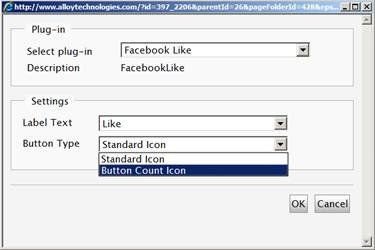
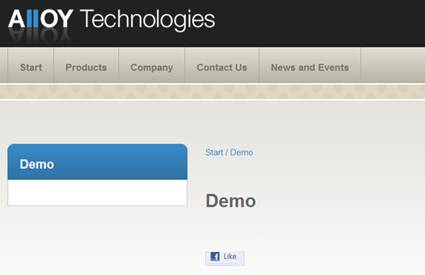
2. "Facebook Like" Dynamic Content module
a. It allows the Content Author to configure the text associated with the button based on the pre-defined "Facebook Like" options:
i. Like
ii. Recommend
b. It allows the Content Author to configure and select between different button types:
i. Standard Icon
ii. Button Count Icon
c.
d.
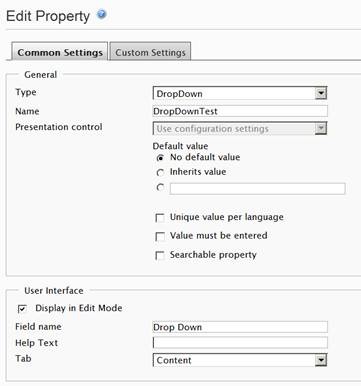
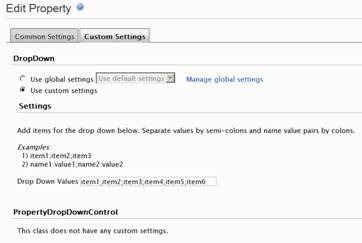
3. "DropDown" Custom Property
a. This includes custom settings based on the CMS 6 Settings on Properties functionality so that the user can configure the items listed in the DropDown
b. I use this in my Dynamic Content items above, but created it with the specific intent of making this useful for other purposes as well
c.
d.
Attached you will find the code and a basic ReadMe.txt file with instructions to set this up. I’ll beg your forgiveness for not creating an installer. :) You will have to add the code files to your project, compile, and update episerver.config. The code was written for the Alloy Technologies templates and CMS 6. The associated directories and namespaces align with this but could easily be changed for other templates. Also note, it would probably be an improvement to add a call to RegisterClientScriptBlock() for the script being added to the page. Other optimizations and edits are also possible. This is merely a conceptual starting point and a nice way to demo Dynamic Content and social features.
Cheers.

Comments