
Pixlr Image Editor Gadget
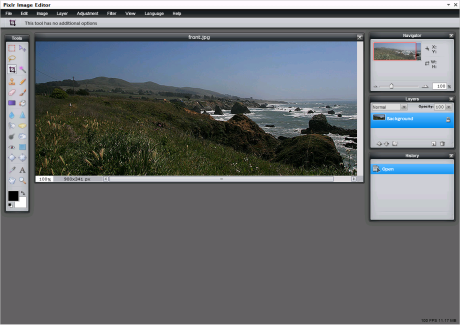
If you haven’t seen it already, there’s a great image editor over at www.pixlr.com, that features a bunch of different tools, layers, filers and much more. Now, wouldn’t it be great to have that inside of EPiServer? Why yes, yes it would! And now you can.
The Basics
The Pixlr Image Editor Gadget lets you select an image in your site’s VPPs, sent it to the editor and save it back to the VPP. You may even skip the file selection and just open the editor. You can then either create a new image, or load one from you computer.
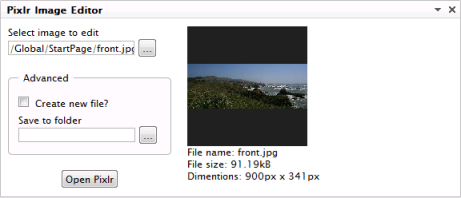
Advanced
The advanced options allows you to Create new file. Select this option to save your file as a new file instead of a new version. This option will only affect files stored in the versioning path provider of course.
Save to folder lets you specify a target folder where the image should be saved. You could for example open an image in /foo/ and have it saved to /bar/.
Settings
If you edit the gadget you’ll find two properties. First one is the editor height (min 600px) and the other one controls the size of the preview box in the index view (min 150px).
Source and Installation
Those of you who feel, “Hey, this is awesome, but I just have to change this detail” might want to download the source code. Others might think, “Awesome! Give me 1.0!” – grab it here: PixlrGadget.
Installation is as simple as copying the folders, bin, content etc. to your site root and add one tiny line to your web.config to register the assembly:
<episerver.shell>
<frameworkModules>
<add name="Shell">
<assemblies>
<add assembly="BearWare.PixlrGadget" />
Please give it a spin and tell me what’s needed for the next release. And by the way, I’ve got a module cooking for CMS 5, so that those editors not fortunate enough to be kicking it in CMS 6 still get some.
And wouldn’t it be super to build a new image property based on Pixlr? I’ll get to that in a while.
Update
I’ve created an epimodule for the gadget so you can install it more easily.

Comments