

Updating configuration to run CMS 6 on Oracle database
If you created a site without a database (via EPiServer Deployment Center) or even have an existing CMS site which uses SQL Server as its database engine, you may want to run it against an Oracle database instead. The files available for download here will take the hard slog out of manually changing the CMS configuration files (amoungst other things) so your site works with Oracle.
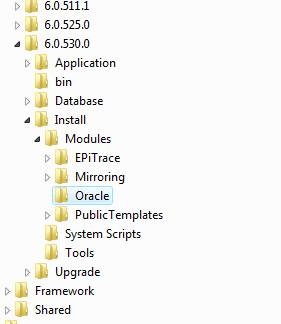
Copy the contents of the zip file to a new folder called "Oracle" under the <Program Files>\EPiServer\CMS\6.0.530.0\Install\Modules folder. Note that on 64 bit operating systems the EPiServer folder can be found under the <Program Files (x86)> folder:
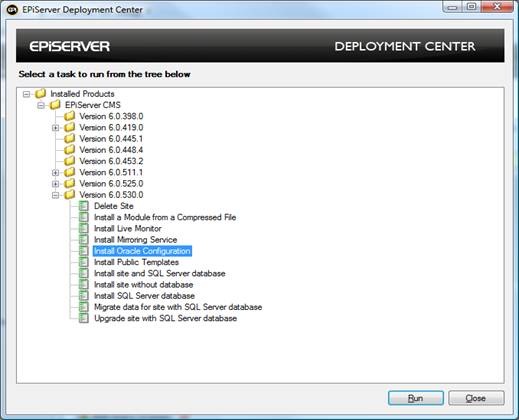
The next time your run EPiServer Deployment Center you should notice a new item called "Install Oracle Configuration" under the EPiServer CMS -> Version 6.0.530.0 node. Select the item and then click on 'Run'.
Now a list of CMS 6 sites installed on the computer should be shown. Select the site to be changed and click 'Install'
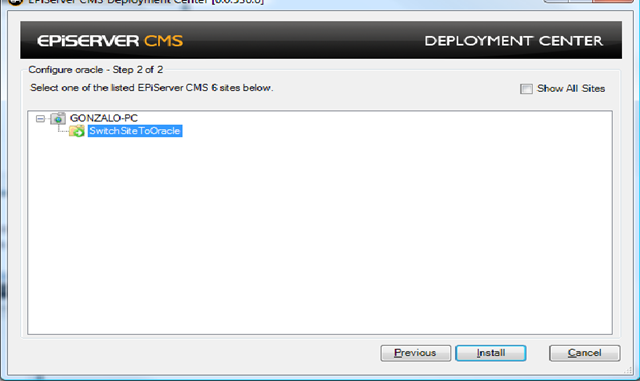
The PowerShell script will update the configuration for you and even move the Oracle Workflow assemblies to the bin folder of the selected site.
The only things left to do is install the CMS Oracle database and then update the sites' connectionStrings.config to point to it and use the correct user / password.
Done!!!

Comments