

How to install EPiServer CMS on your own computer.
This post might not be for most of the developers in the EPiServer Community but I often do courses were I meet people/developers that are not that experienced with using EPiServer CMS or with developing with EPiServer CMS solutions. In these cases installing EPiServer CMS on you local machine could sound a bit hard and very advanced. But I would like to say that eveyone actually could install an EPiServer CMS website on their own computer.
A lot of people think that installing EPiServer is a bit tricky and needs a developer to do the job. The thing about installing your own EPiServer CMS website on your own computer is that you have the opportunity to actually get to know the system without any risk that you would cause any problem on a live site. If anything goes wrong just delete it and install a new site. 
So how do we install an EPiServer CMS based website on our computer?
First you will need to make sure your computer actually have every tool for developing an running websites based on ASP.NET. Now this might sound like it is a job for a developer but since a year or two Microsoft actually have a new program for just that, installing all the software you will need! A few years ago it was a mess to get EPiServer up and running but today it is rather easy.
You can find this installation program on Microsofts “new” website: http://www.microsoft.com/web/platform/.
Download and install the Web Platform Installer.
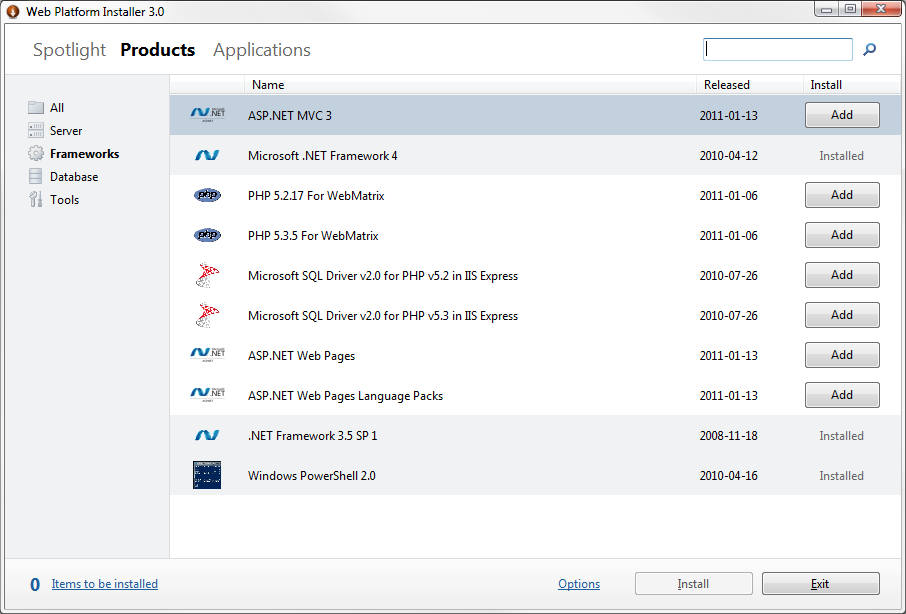
Install the products you need, they usually are:
- SQL Server Express 2008 R2
- IIS 7 With Recommended Settings.
- Microsoft .Net Framework 4
- SQL Server 2008 Management Studio Express
- .NET Framework 3.5 SP 1
You could also add some nice features like:
- Search Engine Optimazation Toolkit
- Visual Web Developer 2010 Express (If you would like to have a look at the code.)
This could take some time but is necessary to get your computer with all the products from Microsoft that is needed.
When this is done we need to download the installation program from EPiServer. This can be found at http://world.episerver.com/download. You will need to become a member to download any products from EPiServer but it is free and you could also get a demo license.
You will get at zipped folder so just unzip and run the setup.exe-file. When that is done you will have installed EPiServer Deployment Center.
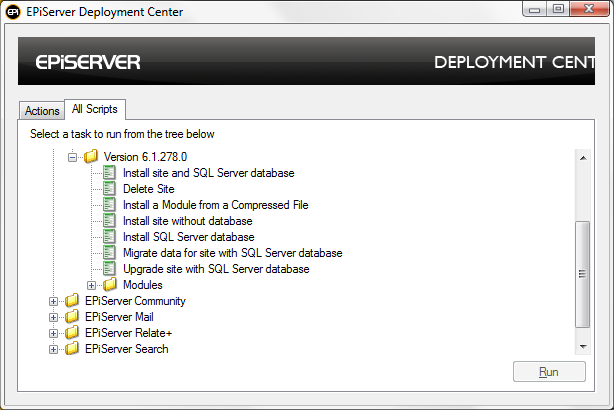
And that’s it. Now you can install a new EPiServer CMS website on your computer. Choose the version of CMS you would like to install and then chose Install site and SQL Server database.
When this i done you will have an EPiServer CMS website up and running on you own computer.

Comments