
Symbols for EPiServer CMS 6 available
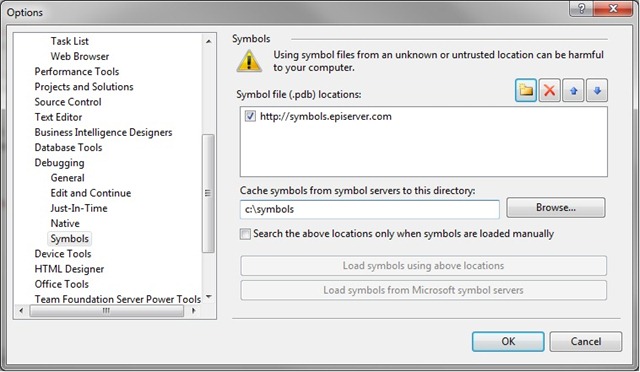
As from yesterday pdb files for EPiServer 6 are available at http://symbols.episerver.com. To configure symbols for debugging in your visual studio follow these steps:
- Open Visual Studio –> tools –> options –> debugging –> symbols
- Click on the folder symbol and add http://symbols.episerver.com
- Add the local folder where pdbs will be cached(ex. c:\symbols)
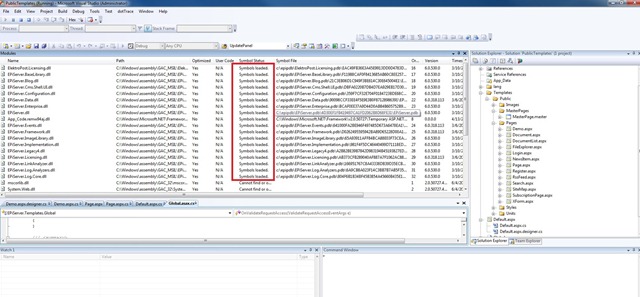
- To check that symbols have been loaded, when debugging, open Debug –> Windows –> Modules and find EPiServer assemblies and check status, it should look as following.
Besides EPiServer CMS 6 you can also find symbols for EPiServer CMS 5 R2, EPiServer CMS 5 R2 SP1 and EPiServer CMS 5 R2 SP2.
You can read more on setting up symbols in this article by Jonas.
Happy programming and of course your feedback is very welcome.
Apr 14, 2010

Comments