

Google Chrome will mark your site as not secure if your site isn’t on HTTPS by July 2018 - what this means for you
At the beginning of July 2018 Google Chrome will start displaying an "insecure" message if the site its browsing is not being served over HTTPS:
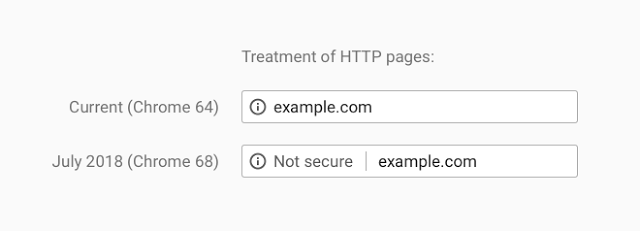
Read more about this change here: https://security.googleblog.com/2018/02/a-secure-web-is-here-to-stay.html. Why is this change happening? Well according to Google "You should always protect all of your websites with HTTPS, even if they don’t handle sensitive communications". You can read more about why HTTPS matters here: https://developers.google.com/web/fundamentals/security/encrypt-in-transit/why-https
Serving your site on HTTPS is important as the eventual treatment of all sites on served on HTTP in Chrome will look as follows:
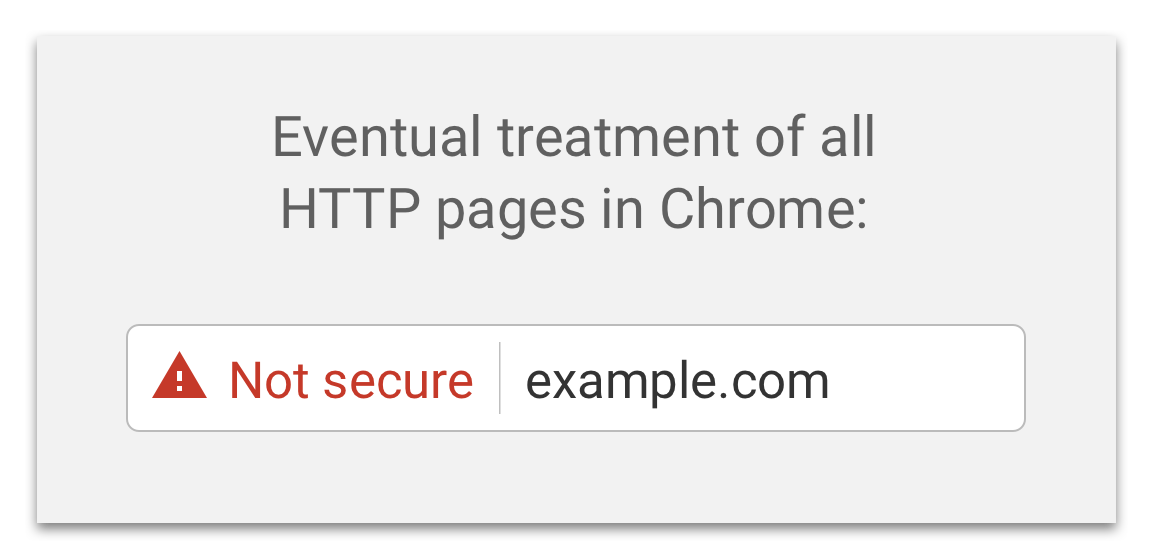
Clearly seeing this warning would not be a good experience for your customers!
So why is serving your site over HTTPS important?
Trust is important. When a customer engages with your site they are engaging with your brand or service. This needs to be an engagement of trust. By serving your site over HTTPS you are proving that anything you are delivering to your customer could not have been interfered with as the communication has been encrypted between the browser and the host.
Also if you and/or your developers want to take advantage of features such as the geo-location API then they require HTTPS: https://developer.mozilla.org/en-US/docs/Web/API/Geolocation/Using_geolocation.
As an Episerver customer what to do now?
We take trust and privacy seriously at Episerver as documented on our trust centre: https://www.episerver.com/about/privacy/trust-center/ and want you to trust Episerver to deliver trusted solutions to your customers.
If you an Episerver Digital Experience Cloud Service customer then your site is probably already being served over HTTPS as this is included as part of the service. If its not, then get in touch with your service level manager to discuss next steps in moving your site over to HTTPS.
If you are on a Episerver managed service contract then get in touch with your Episerver service level manager to discuss next steps in moving your site over to HTTPS.
If you are running your site on premise then you should contact your IT team and/or implementation partner to discuss migrating your site over to HTTPS.
Find out more
Read more about the change coming to Google Chrome here:
- https://security.googleblog.com/2018/02/a-secure-web-is-here-to-stay.html
- https://security.googleblog.com/2016/09/moving-towards-more-secure-web.html
Episerver Trust Centre:
All images copyright Google 2018

Comments