
Testing templates without creating a page using TemplateMock
Sometimes it’s useful to test your code before committing it. When possible unit tests make for a nice way to do this. Template code, however, is not always the most easy to test as a unit. This is when a UI testing framework such as Selenium can come in handy. Unfortunately creating the pages to test can be a bit cumbersome and this is where TemplateMock helps out.
Usage
TemplateMock allows you to access a page type without creating it in edit mode from a known URL. After adding templateMock to your site you can render a standard page using an alternative url:
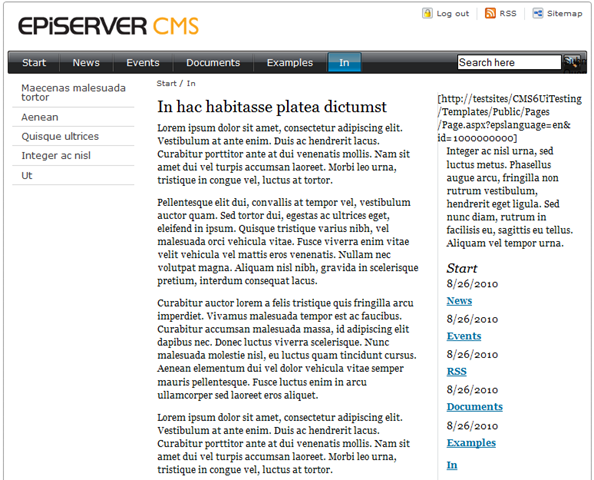
/TemplateMock.ashx?scenario=[Public]+Standard+page
Configuration
When navigating to TemplateMock without query parameters you can choose which template to execute:
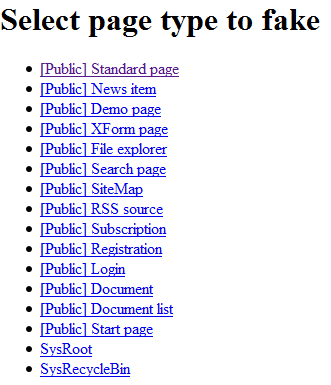
Optionally you can add query parameters to configure it:
randomize (true/false): Wheter the content on the page is deterministic (doesn’t change every time)
numberOfChildren (0-n): How many children this page appears to have
For example “/TemplateMock.ashx?scenario=[Public]+Standard+page&randomize=false&numberOfChildren=100” will render a standard page with 100 child pages without randomizing it’s content.
It’s also possible to tweak other aspects from code. This is left as an excercise to the reader.
Download & installation
Be aware that TemplateMock broadcasts unsupported pirate signals to hack into the CMS core and should never be used in production.
To install it just unzip in your site’s root directory and navigate to TemplateMock.ashx.

Comments