
A critical vulnerability was discovered in React Server Components (Next.js). Our systems remain protected but we advise to update packages to newest version. Learn More

Björn Olsson
Oct 31, 2009
  7239
(0 votes)

Scheduled Jobs Monitor Gadget

My first blog post ever, here it goes:

This is a gadget I’ve created for monitoring all scheduled jobs installed on the site. You can also execute jobs manually using this gadget.

This is the default view, a list of all scheduled jobs. The status-column indicates whether the job is currently running or not. I guess the rest of the columns speak for themselves.
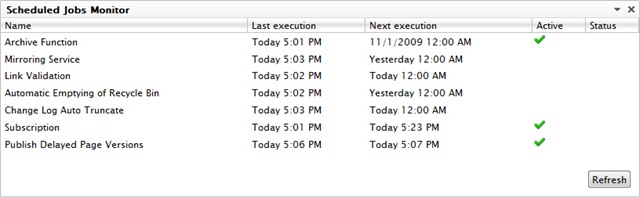
Index

This view is shown when the name of a scheduled job is clicked. The history will automatically update after the job is executed manually using the ‘Start Manually’ button.
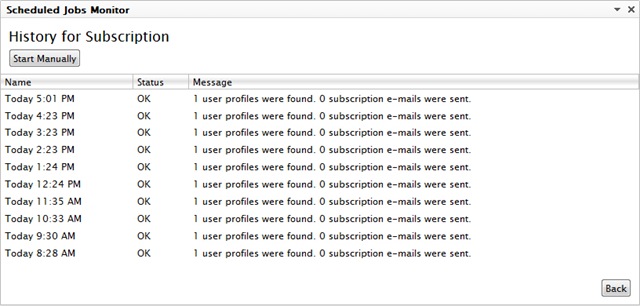
History

This warning message will be displayed if the EPiServer Scheduler Service does not appear to be active. Please note that this message is displayed during application startups for a few moments sometimes.
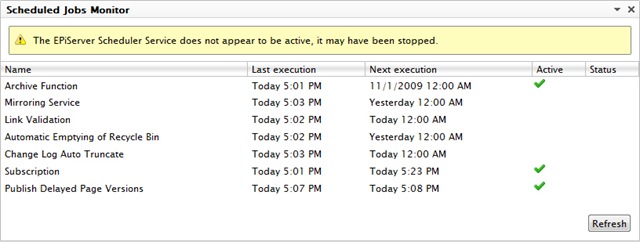
WarningMessage

As you may already have concluded, this is a very boring and uncool gadget. But very useful :)

Installation

  1. Download installer below
  2. Start EPiServer Deployment Center
  3. Choose to “Install a Module from a Compressed File” and follow the instructions. (Found under: Installed Products –> EPiServer CMS –> Version 6.0)

Enjoy!

Download installer

Download source

Oct 31, 2009

Comments

Please login to comment.
Latest blogs
A day in the life of an Optimizely OMVP: Learning Optimizely Just Got Easier: Introducing the Optimizely Learning Centre

On the back of my last post about the Opti Graph Learning Centre, I am now happy to announce a revamped interactive learning platform that makes...

Graham Carr | Jan 31, 2026

Scheduled job for deleting content types and all related content

In my previous blog post which was about getting an overview of your sites content https://world.optimizely.com/blogs/Per-Nergard/Dates/2026/1/sche...

Per Nergård (MVP) | Jan 30, 2026

Working With Applications in Optimizely CMS 13

💡 Note:  The following content has been written based on Optimizely CMS 13 Preview 2 and may not accurately reflect the final release version. As...

Mark Stott | Jan 30, 2026

Experimentation at Speed Using Optimizely Opal and Web Experimentation

If you are working in experimentation, you will know that speed matters. The quicker you can go from idea to implementation, the faster you can...

Minesh Shah (Netcel) | Jan 30, 2026