


Mobile Pack for EPiServer CMS
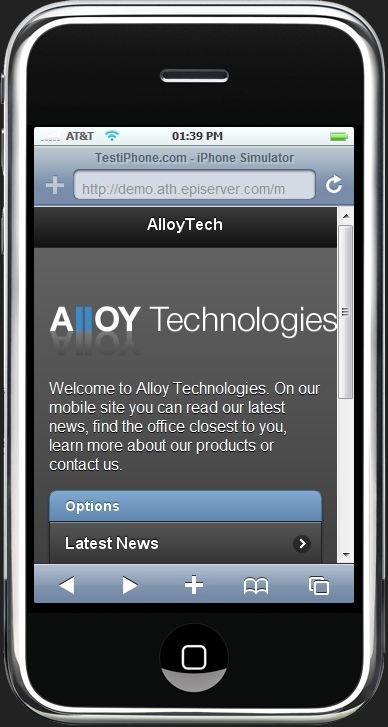 I just started a new Open Source project on codeplex that shows just how easy it is to create a mobile web app with jQuery Mobile and EPiServer CMS. It’s a 1-size-fits-all set of templates that you can use to setup your own mobile web app in a matter of minutes – reusing a lot of content from your regular web site. I know we already have many happy customers using their CMS as the platform for various mobile sites and apps – but at the same time I figured this could be a great demo example (not to mention a place for me to become more familiar with HTML5 and jQuery Mobile).
It handles stuff like redirection, previewing, mobile functionality, etc:
MobilePack Mobile Site.This page type and template should always be the foundation of any mobile web app built with MobilePack. This is where you select the theme of your app, define contents of the start page, setup the footer menu and so on. MobilePack Standard Page. This is the default mobile page. It will be loaded through AJAX into the web app - and it can display it's main body, an Xform - or any of the MobilePack dynamic Contents controls you put in it. You can also set it up to "Fetch Data from Other Page in EPiServer CMS" in order to reuse content - or simply use the Dynamic Content element that lets you display individual properties from other regular pages on the site. Link handling. You can use Dynamic Content to make buttons that will AJAX load mobile pages - or you can insert regular links to the rest of the site that will load in the usual way. Image Resizing. Any images in your content with a width that's greater than the device width will automatically be rescaled (client-side for now) to fit the device resolution. Swipe navigation.When reading a mobile page, you can swipe left or right to move between sibling pages. MobilePack ListView.If you insert the Dynamic content element called "MobilePack ListView" you'll get a nice looking mobile menu that list all child-pages. MobilePack Button.Will let you insert a button that opens up any page - including ajax loading of mobile pages - either loading the page in a dialog or regularly. MobilePack Phone Button.This is a shortcut button you can set up to let people automatically dial a number when clicking the button. Preview.When you are previewing the mobile site in edit-mode you can select which resolution to preview it in - in order to get an idea of how it will look on a mobile device. There are currently some problems with this functionality in Internet Explorer - Firefox is recommended MobilePack Site Connect.You can easily expose any part of your existing web site on your mobile app - just setup the "site connect" page and define the starting point. Browser Criterion. By using the new Browser Criterion, you can use the new personalization feature, Visitor Groups, in CMS 6 R2 to identify visitors coming from mobile browsers. Visitor Group Redirection Rules. Using personalization you can setup redirection rules - to for instance redirect mobile users from your regular web site to the mobile web app.
So far it’s just a small alpha release – but with your help, perhaps we can take it further!
Check out http://mobilepack.codeplex.com/

Comments