
EPiImage Part 2: EPiImage Property
This is the second part of a four part series that started with EPiImage Part 1: EPiImageResizer
Point of confusion: EPiImageResizer is NOT EPiImage Property
Most people get this point wrong, so I thought I start this blog post by clearing this up: EPiImage Property is NOT EPiImageResizer. In other words: you can use the EPiImageResizer to resize any image, not only EPiImage Property images.The opposite is also true: You don’t need to use EPiImageResizer to display a EPiImage Property. You get an image URL just like you would from the built in “URL to image” property.
That being said: EPiImage Property and EPiImageResizer works really well together :-)
EPiImage Property
The EPiImage Property is very similar to the built in “URL to image” property, but adds the following features:
- Thumbnail preview of the selected image, not just a meaningless url
- Click the “i” button to preview the image and add an image description
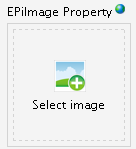
This is what the EPiImage Property looks like in edit mode if no image is selected. If clicked the normal file selection dialog box is opened.

Once an image is selected a small thumbnail is shown.

If you click the “i” button you will see a bigger preview of the image and you have the possibility to add a description.
How do I start using it?
Simply download the module from EPiCode and install it using EPiServer Deployment Center. (It just copies in a few files, it doesn’t touch your web.config or require a rebuild)
You will now get a new property type called “EPiImage”:

How do I access the property value?
The easiest is just using the string value:
<%= CurrentPage["MyEPiImageProperty"] %>If you have added an image description it will be added as a query string: /globals/MyImage.jpg?alt=mydescription
To get access to the image url and description separately, cast the property to a EPiImageProperty. You can then access the variables ImageUrl and ImageDescription.
<%= (CurrentPage.Property["MyEPiImageProperty"] as
     MakingWaves.EPiImage.EPiImageProperty).ImageUrl %>
<%= (CurrentPage.Property["MyEPiImageProperty"] as
     MakingWaves.EPiImage.EPiImageProperty).ImageDescription %>
You can also use it as a normal EPiServer property.
<EPiServer:Property PropertyName="MyEPiImageProperty" runat="server" />This will render a img tag with an alt text if you have added a image description.
You can also get an automatically resized version of the image by specifying width, height and transformation:
<EPiServer:Property PropertyName="MyEPiImageProperty"
                  Width="200"
                  Height="200"
                  Transformation="ScaleToFit"
                  runat="server" />
EPiImage Property and EPiImageResizer
To use an EPiImage Property with the EPiImageResizer user control simply specify the PropertyName of a EPiImage Property.
<EPiImage:EPiImageResizer PropertyName="MyEPiImageProperty"
                          Width="150"
                          Height="150"
                          Transformation="ScaleToFit"
                          LinkURL="http://www.google.com"
                          runat="server" />
Can I convert my existing “URL to image” properties to EPiImage Property?
You certainly can. Simply change their property type to EPiImage. The existing image urls will be preserved.
Have feedback? Want to help out?
Feel free to email or twitter me with your feedback: @ahaneng :-) Also if you like to help out with debugging/testing let me know.
Thank you to Making Waves for donating it to EpiCode!
Next post: EPiImageGallery Property.

Comments